How to download and use mods in Paralives
While playing Paralives, you might find yourself wanting to change up specific game features or add new content to it. Luckily, there’s a whole host of mods available to install and use.
Modding tends to look a bit different for each game, so the first time around, you might be struggling to figure out how it works here. Luckily, it’s a lot easier in this game than it is in most others, so here’s how to download and use mods in Paralives.
Table of contents
- Where to find mods for Paralives
- How to install mods in Paralives
- How to disable mods in Paralives
- How to delete mods in Paralives
Where to find mods for Paralives
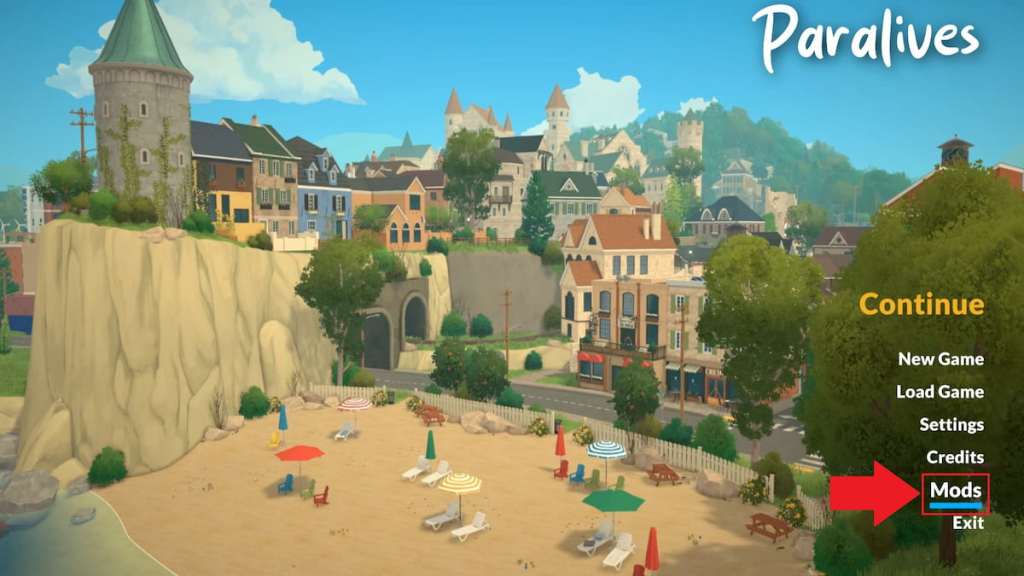
You can find mods in the Steam Workshop for Paralives. It falls under the Community tab in Steam, but getting to the right spot is generally more efficient when you do so from the game itself. Here’s a breakdown of how to get to the mod page.
- Open Paralives. The easiest way to access mods is from the game itself.
- Select the Mods option from the main menu before you load into any save file.
- Click on the “Browse for mods on Steam Workshop” option, which is located in the bottom right corner.
How to install mods in Paralives
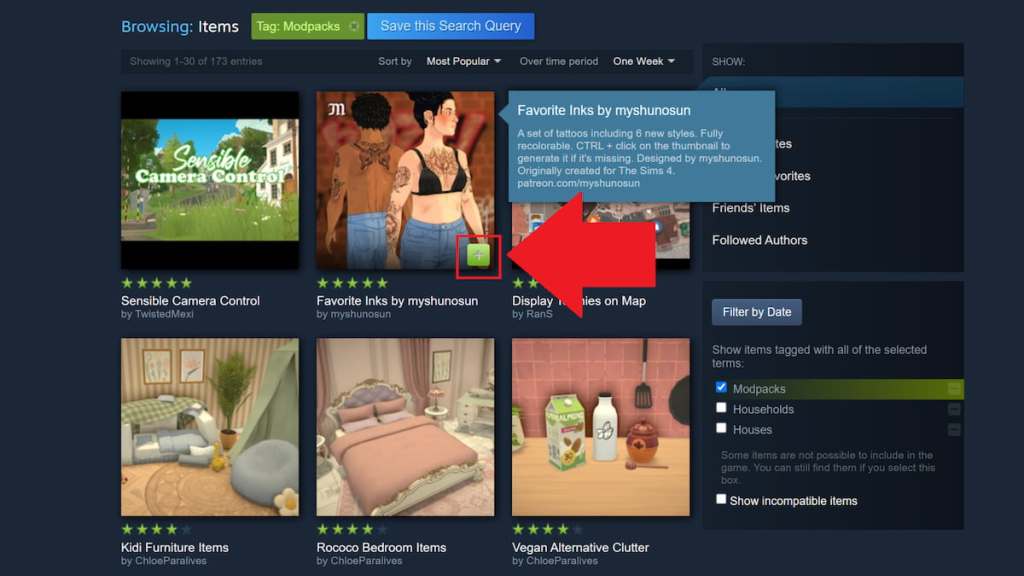
Once you’ve found a mod you like from the Steam Workshop, you can click the green plus icon on it to add it to your game and begin the installation process. After installing any mod, you can visit the Mods tab under the main menu in Paralives to see all of the ones you have installed. They’re listed under the My Mods page under this tab.
How to disable mods in Paralives
If you decide you want a break from mods, you can disable them by selecting the Mods page from the main menu, navigating to the My Mods tab, hovering over the mod you wish to disable, and selecting the blue toggle on the left side of the mod. This will disable the mod, not delete it, so you can switch it right back on as desired.
How to delete mods in Paralives
For a more permanent fix, select the Mods tab on the main menu, click the My Mods section, find the mod you want to delete, and click the white trash can icon near the upper right corner of the mod. This will permanently delete the mod from your game, although you can always reinstall it later if you end up regretting this decision.
If you’re looking to shake things up without the use of mods, you might want to start by trying out some handy cheats, including money cheats and all cheats you can use in Paralives.
 0
0The post How to download and use mods in Paralives appeared first on Destructoid.
Схожі новини
Star Citizen уже собрала $1 млрд, пережила три поколения консолей, но до сих пор в раннем доступе
007 First Light review – a triumphant James Bond game made by obsessive fans

Unreal Engine Accused Of Using AI To Generate Fortnite Images