Rendering the Sky, Sunsets, and Planets
There’s this photo that’s been sitting on my inspiration board for a while, of the space shuttle Endeavour, suspended in space in low Earth orbit at sunset. It shows Earth’s upper atmosphere as a backdrop, featuring beautiful, colorful layers ranging from dark orange to blue before fading away into the deep black of space. Not only is that gradient of color aesthetically pleasing, but the phenomenon behind those colors, atmospheric scattering, is even more of an interesting topic once you start looking into how it works and how to reproduce it.
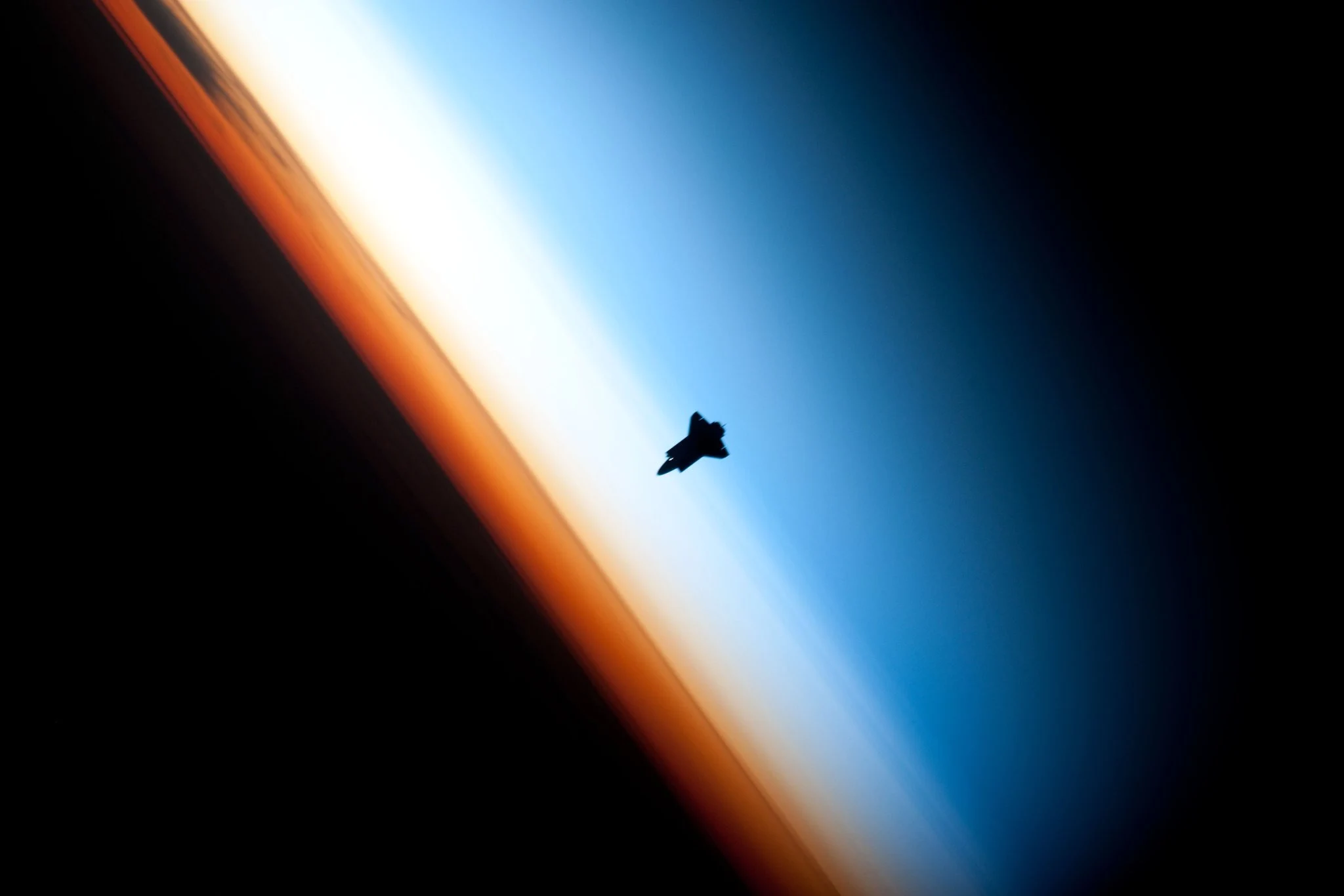
I wanted to build my own version of this effect with shaders, rendering the sky’s distinctive blue color and realistic sunsets and sunrises directly in the browser. The goal was to get as close as I could to that photo, while also moving toward the kind of atmospheric rendering often seen in games and other shader-based media.
Here’s a compilation of what came out of this month-long journey, all running in real time:
I didn’t originally plan on writing about this subject, but the enthusiasm around the recent Artemis II mission, combined with my own interest in all things space, made it feel worth exploring in depth. It also felt like the perfect opportunity to build an interactive experience that could make the topic more accessible. In this write-up, we’ll see how to implement an atmospheric scattering shader post-processing effect step-by-step, starting with the implementation of the different building blocks (raymarching, Rayleigh and Mie scattering, as well as ozone absorption) to render a realistic sky dome, and then adapt the result to render it as an atmospheric shell around a planet. Finally, we'll look into Sebastian Hillaire’s LUT-based approach for a more performant result, or at least my attempt at implementing it, as this was very much the stepping outside of my comfort zone phase for this project.
How to Render a Sky
You may have, at some point or another, tried to slap a blue gradient background behind some of your work in an attempt to give it a more "atmospheric" look and call it a day, but quickly noticed doing so never feels quite right 1.
For a more true to life implementation, we must treat the sky and its color as the result of light interacting with air and its constituents, while taking into account several variables, such the altitude of the observer, the amount of dust, the time of day, etc, all of that in a volume.
With that established, our goal for this first part is to use this as guiding principle to lay the foundation for our atmosphere shader, and get to a result that feels almost indistinguishable from a real sky, at any time of the day.
Sampling Atmospheric Density
Much like how we’d approach volumetric clouds or volumetric light, one easy way to sample the atmosphere is through raymarching. We can cast rays from the camera’s position into the scene and step through the transparent medium to answer the two following questions:
- How much light survives traveling through the atmosphere? This is the transmittance term.
- How much light is redirected toward the camera at each sample? Also known as scattering.
To answer the first one, we need to accumulate the atmospheric density encountered along the ray to obtain what is known as the optical depth. We will model this using the Rayleigh density function, which tells us how much "air" there is at a given altitude h. This is important to take into account that the atmosphere gets thinner as altitude increases.
Sampling Rayleigh density and accumulating optical depth
1const float RAYLEIGH_SCALE_HEIGHT = 8.0; // km2const float ATMOSPHERE_HEIGHT = 100.0; // km - Karman line3const float VIEW_DISTANCE = 200.0; // km4const int PRIMARY_STEPS = 24;5const vec3 SUN_DIRECTION = normalize(vec3(0.0, 1.0, 1.0));6 7float rayleighDensity(float h) {8 return exp(-max(h, 0.0) / RAYLEIGH_SCALE_HEIGHT);9}10 11void main() {12 vec2 p = vUv * 2.0 - 1.0;13 14 vec3 color = vec3(0.0);15 vec3 viewDir = normalize(vec3(p.x, p.y, 1.0));16 vec3 skyDir = normalize(vec3(viewDir.x, max(viewDir.y, 0.0), viewDir.z));17 18 float stepSize = VIEW_DISTANCE / float(PRIMARY_STEPS);19 float viewOpticalDepth = 0.0;20 21 for (int i = 0; i < PRIMARY_STEPS; i++) {22 float t = (float(i) + 0.5) * stepSize;23 float h = t * skyDir.y;24 25 if (h < 0.0) break;26 if (h > ATMOSPHERE_HEIGHT) break;27 28 float dR = rayleighDensity(h);29 viewOpticalDepth += dR * stepSize;30 31 // ...32 }33 34 //...35 36 color = ACESFilm(color);37 38 fragColor = vec4(color, 1.0);39}Then, from the optical depth, we can compute the transmittance T at a given point along the ray: the fraction of light that survives while traveling through the atmosphere.
- T=1.0 means that there is no loss of light.
- T=0.0 means that the light is totally extinguished.
If you’ve read my article on volumetric clouds 2, we’re using a formula that may look familiar for this: Beer's Law:
Computing transmittance
1//...2 3float dR = rayleighDensity(h);4viewOpticalDepth += dR * stepSize;5 6vec3 transmittance = exp(-rayleighBeta * viewOpticalDepth);7scattering += dR * transmittance * stepSize;8 9//...With this in place, we can now describe how light is attenuated as it travels through the atmosphere. However, density and transmittance only tell us how much light is available to scatter, not how that light is distributed toward the viewer. For that, we need to account for the angle between the incoming sunlight and the view ray, which is what the Rayleigh phase function models.
Rayleigh phase function
1//...2 3// We consider the sun constant at its zenith here4const vec3 SUN_DIRECTION = normalize(vec3(0.0, 1.0, 1.0));5 6float rayleighPhase(float mu) {7 return 3.0 / (16.0 * PI) * (1.0 + mu * mu);8}9 10//...11void main() {12 //...13 float phase = rayleighPhase(dot(skyDir, SUN_DIRECTION));14 15 // Raymarching loop16 17 scattering *= SUN_INTENSITY * phase * rayleighBeta;18 19 float horizon = smoothstep(-0.12, 0.05, skyDir.y);20 vec3 color = mix(SPACE_COLOR, scattering, horizon);21 color = ACESFilm(color);22 23 fragColor = vec4(color, 1.0);24}Putting all this together, we can have a somewhat accurate representation of how much scattered light accumulates along a given ray at any given altitude. The widget below represents the process we just described, showing you:
- The sample steps along a single ray
- The resulting pixel color obtained from this process (an approximation)
As you can see, we’re accumulating shades of blue at lower altitude! This is mostly due to the Rayleigh scattering coefficient’s value:
- Red scatters very little
- Green a bit more
- Blue the most
Since shorter wavelengths scatter more strongly, more blue light is redirected toward the viewer, thus resulting in the sky appearing blue during daytime.
If we expand this idea into a full-on fragment shader, going from a single ray to one ray per pixel, we can render a realistic sky, as demonstrated below:
UniformsCamera Pitch20.00Altitude (km)2.00This raymarching process yields a beautiful blue sky, with a lighter white haze towards the horizon as rays travel through more atmosphere there, and deeper, darker blue colors as the altitude increases and the atmosphere gets thinner.
Mie Scattering and Ozone
While Rayleigh scattering alone yields a decent result, there are still additional atmospheric effects that we can take into account to make our sky rendering closer to reality:
- Mie Scattering, which describes the interaction of light with larger particles in the atmosphere, like dust or aerosols. It has a density function to account for the amount of material in the medium, as well as a phase function, which, like its Rayleigh counterpart, describes how the light gets redistributed in different directions.
- Ozone absorption, which models how ozone absorbs part of the light passing through the upper atmosphere. This one does not scatter light; it only removes some wavelengths along the path. Its main contribution is to shift and deepen the sky’s color, especially near the horizon and during sunsets or twilight.
The first one can be modeled with the following two functions:
Mie density and phase function
1float miePhase(float mu) {2 float gg = MIE_G * MIE_G;3 float num = 3.0 * (1.0 - gg) * (1.0 + mu * mu);4 float den = 8.0 * PI * (2.0 + gg) * pow(max(1.0 + gg - 2.0 * MIE_G * mu, 1e-4), 1.5);5 return num / den;6}7 8float mieDensity(float h) {9 return exp(-max(h, 0.0) / MIE_SCALE_HEIGHT);10}To get the updated scattering term that takes Mie scattering and Ozone into account, we simply add it to the current implementation of our sky shader on top of the Rayleigh density and phase function:
Rayleigh, Mie, and Ozone scattering terms
1float viewODR = 0.0;2float viewODM = 0.0;3float viewODO = 0.0;4 5vec3 sumR = vec3(0.0);6vec3 sumM = vec3(0.0);7vec3 sumO = vec3(0.0);8 9for (int i = 0; i < PRIMARY_STEPS; i++) {10 float t = (float(i) + 0.5) * stepSize;11 float h = uObserverAltitude + t * skyDir.y;12 13 if (h < 0.0) break;14 if (h > ATMOSPHERE_HEIGHT) break;15 16 float dR = rayleighDensity(h);17 float dM = mieDensity(h);18 float dO = ozoneDensity(h);19 20 viewODR += dR * stepSize;21 viewODM += dM * stepSize;22 viewODO += dO * stepSize;23 24 vec3 tau = BETA_R * viewODR25 + BETA_M_EXT * viewODM26 + BETA_OZONE_ABS * viewODO;27 vec3 transmittance = exp(-tau);28 29 sumR += dR * transmittance * stepSize;30 sumM += dM * transmittance * stepSize;31 sumO += dO * transmittance * stepSize;32}33 34vec3 scattering = SUN_INTENSITY * (35 phaseR * BETA_R * sumR +36 phaseM * BETA_M_SCATTER * sumM +37 BETA_OZONE_SCATTER * sumO38);39 40float horizon = smoothstep(-0.12, 0.05, skyDir.y);41vec3 color = mix(SPACE_COLOR, scattering, horizon);42color = ACESFilm(color);43 44fragColor = vec4(color, 1.0);The widget below showcases the result of integrating both of those new terms into our sky shader:
UniformsCamera Pitch20.00Altitude (km)0.00Sun Angle45.00°MieOzoneAs you can see, this version yields both:
- A more natural “sky blue” color, thanks to our ozone absorption

- A hazy glow around the location of our sun, and even more so visible when the sun is close to the horizon
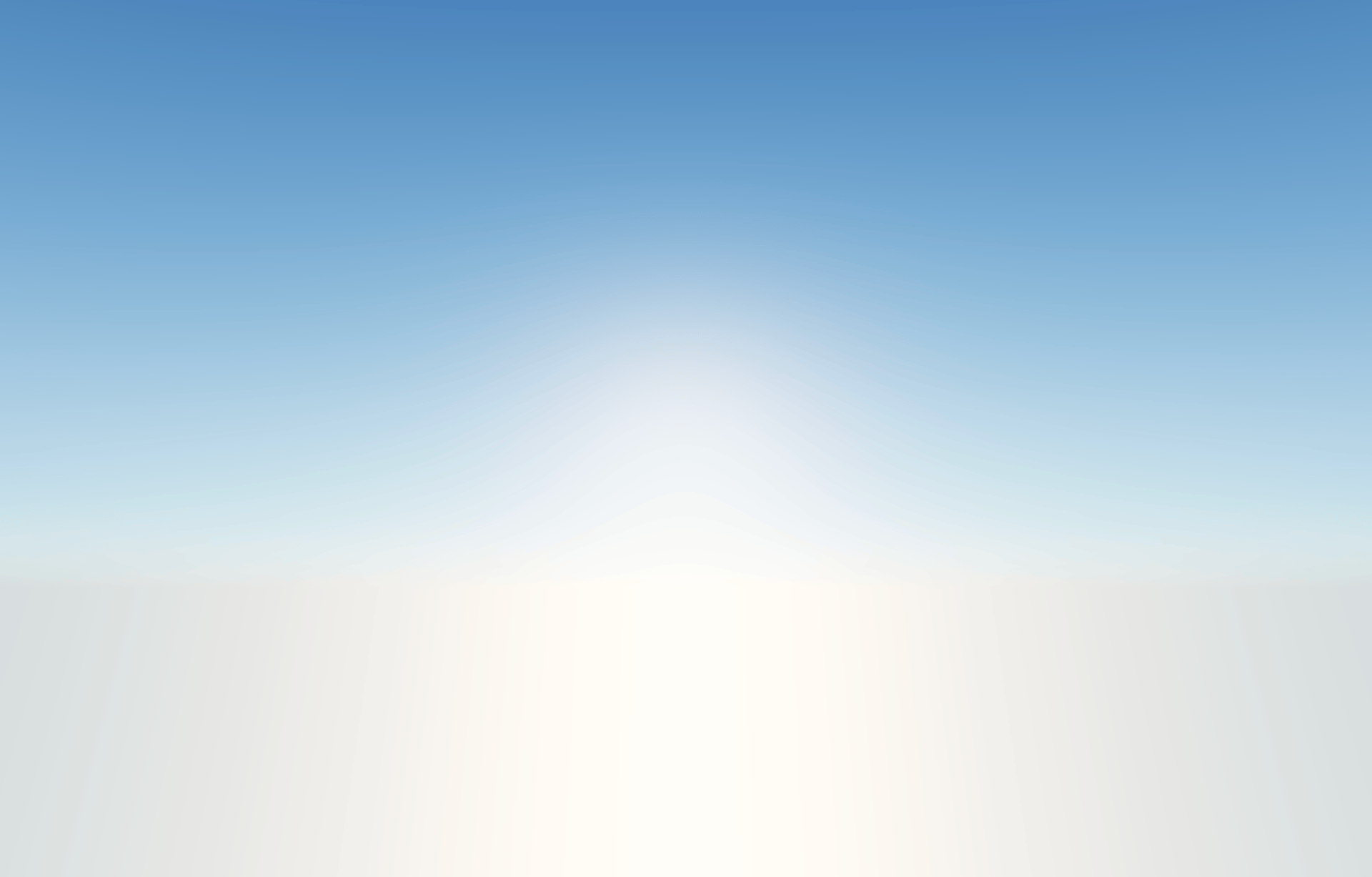
Light and Transmittance
At this point, we have a decent sky fragment shader capable of rendering a natural color for any altitude and taking into account a diverse set of transmittance models (Mie, Rayleigh, and Ozone). That still leaves us with lighting to work on.
You may have noticed in the previous widget that moving the sun close to the horizon only results in a white, hazy glow, without any light attenuation or a sunset/sunrise effect. This is expected, as our current raymarching loop only accounts for light being attenuated along the view ray, from the camera to each sample. It does not yet account for how much sunlight is lost while traveling through the atmosphere before reaching that sample point. As we did for in related past articles, we need to introduce, for any given sample point alongside our ray, a standalone nested loop to light-march in the direction of the light source and sample the transmittance along that path.
Sun Angle35.0°In our previous implementation, the optical depth was only computed along the ray through viewODR, viewODM, and viewODO. For this updated version, we will:
- Add a sunOD value that carries the amount of optical depth accumulated along the path between the sample point and the sun.
- Sum it with each individual optical depth we introduced earlier in our tau variable.
With this in place, we now have the ability to render our sky under any light condition; sunsets, sunrises, zenith, and anything in between.
UniformsCamera Pitch20.00Sun Angle2.50°MieOzoneLight Steps6I invite you to take a little break and play with the widget above to appreciate the different colors of the sky our shader can now yield through this now fully implemented sky model. Notice how:
- The blue of the sky changes throughout the day, represented here by the sun angle uniform, and how the light nicely blends with the horizon at sunset and sunrise, thanks to Mie scattering.
- The ozone gives our sky a nice purple-ish tone when the sun is low.
Planetary Atmosphere
The shader we just built in this first section checks a lot of boxes, but we have in place right now is just a mere flat background. If we were to use it in a React Three Fiber scene in its current state, we would simply have a nice backdrop for our scenes and not much more beyond that.
In this section, we will turn our flat shader into a proper post-processing effect, allowing us to render the atmosphere as:
- a volume and account for scene depth along the way by reconstructing world-space coordinates from screenUV coordinates.
- a shell around a planet mesh.
World-space reconstruction, Depth, and Atmospheric Fog
To apply atmospheric scattering to a scene, we aren't just drawing a sky; we need to fill the space between the camera and the different objects rendered on screen. Lucky us, we already partially did that work in part one: we have all the density data necessary to compute the stuff in the volume that is our 3D scene. The only thing needed here is to:
- Create a post-processing effect that can render our sky shader.
- Get the depth buffer of our scene and the camera’s projectionMatrixInverse, matrixWorld, and position, to pass them as uniforms of the effect.
- Reconstruct 3D rays from our camera through each pixel of our effect by converting screen space coordinates into world space coordinates with the following function:
getWorldPosition function
1vec3 getWorldPosition(vec2 uv, float depth) {2 float clipZ = depth * 2.0 - 1.0;3 vec2 ndc = uv * 2.0 - 1.0;4 vec4 clip = vec4(ndc, clipZ, 1.0);5 6 vec4 view = projectionMatrixInverse * clip;7 vec4 world = viewMatrixInverse * view;8 9 return world.xyz / world.w;10}Now that we know how to obtain the worldPosition of the current pixel, we can:
- Set our rayOrigin to the position of the camera.
- Set our rayDir to the normalized difference between the worldPosition and our rayOrigin
Doing this will ensure our raymarch loop now marches along a 3D ray.
Sampling along a 3D ray
1float depth = readDepth(depthBuffer, uv);2vec3 rayOrigin = uCameraPosition;3vec3 worldPosition = getWorldPosition(uv, depth);4vec3 rayDir = normalize(worldPosition - rayOrigin);The last thing we need to do now is to have our raymarching take into account any geometry in the scene. To do so, we will use the depth buffer of our scene to define our raymarch stepSize rather than using a constant so that we can space our sample points to fit the ray we are currently marching along.
1float depth = readDepth(depthBuffer, uv);2vec3 rayOrigin = uCameraPosition;3vec3 worldPosition = getWorldPosition(uv, depth);4vec3 rayDir = normalize(worldPosition - rayOrigin);5 6float sceneDepth = depthToRayDistance(uv, depth);7 8// This is just an arbitrary value to sample "far enough"9// within our sky dome10float SKY_MARCH_DISTANCE_MULTIPLIER = 8.0;11 12bool isBackground = depth >= 1.0 - 1e-7;13 14// Fallback for "sky pixels" i.e. background pixels. 15// We cap how far we will march16if (isBackground) {17 sceneDepth = atmosphereHeight * SKY_MARCH_DISTANCE_MULTIPLIER;18}19 20float rayStart = 0.0;21float rayEnd = max(sceneDepth, 0.0);22float tGround = 1e9;23 24if (rayDir.y < -1e-5) {25 tGround = observerAltitude / max(-rayDir.y, 1e-4);26 rayEnd = min(rayEnd, tGround);27}28 29float stepSize = (rayEnd - rayStart) / float(PRIMARY_STEPS);- This lets us be very accurate in our sampling for rays that hit nearby objects or the ground: the stepSize will be small.
- We can afford to be a bit less precise for rays that travel further, since those cover larger distances and we distribute an equivalent amount of sample points along them.
The playground below renders the same shader we put together earlier, but this time as a post-processing effect, letting us render Atmospheric Scattering throughout the scene’s volume, taking its geometries into account, with our sky shader as a backdrop.
Notice how:
- The closer objects are to the camera, the clearer they will appear.
- The further objects are from the camera, the more they will fade away.
With that implemented, we can start providing a more realistic ambient sky to any scene that would need it, and also have some fun with some silly interactions like this one below, implemented with a Raycaster:


 Maxime@MaximeHeckel
atmosphere post-processing effect now with draggable celestial objects https://t.co/xejzC5SWuc https://t.co/U342icnvxz
1326210:18 PM - Mar 29, 2026Rendering Planets
We’re finally reaching the part you probably came here for in the first place: rendering a realistic atmosphere around planets! Luckily, with everything we built up to this point, we only have two steps missing to achieve that:
- Switch to a logarithmic depth buffer to handle larger scales.
- Define where the atmosphere starts and where it stops along any given ray to define its shape, which, as you can guess, will be a sphere.
Since we’re working at a planetary scale in this section, we can expect a lot of “depth fighting” when viewing our planet from afar, as it is hard for our shader to differentiate the depth between the atmosphere and planet shell from a large distance (the atmosphere height being only a few km). We need to adjust both the way our depth buffer is defined in our React Three Fiber scene and how it’s read. To do so, we set logarithmicDepthBuffer to true in the gl prop of our Canvas component that wraps the entire scene definition:
Enabling logarithmic depth buffer for our scene
1<Canvas2 shadows3 gl={{4 alpha: true,5 logarithmicDepthBuffer: true,6 }}7>8 {/* Scene */}9</Canvas>Then, in our shader, we redefine our sceneDepth as follows to convert the lograithmic depth buffer received by the post-processing effect, and convert it back into a distance along the ray.
Updated getWorldPosition function
1float logDepthToViewZ(float depth) {2 float d = pow(2.0, depth * log2(cameraFar + 1.0)) - 1.0;3 return -d;4}5 6float logDepthToRayDistance(vec2 uv, float depth) {7 float viewZ = logDepthToViewZ(depth);8 vec2 ndc = uv * 2.0 - 1.0;9 vec4 clipAtZ1 = vec4(ndc, -1.0, 1.0);10 vec4 viewAtZ1 = projectionMatrixInverse * clipAtZ1;11 viewAtZ1 /= viewAtZ1.w;12 vec3 viewRayDir = normalize(viewAtZ1.xyz);13 float cosTheta = max(-viewRayDir.z, 1e-5);14 return (-viewZ) / cosTheta;15}16 17vec3 getWorldPosition(vec2 uv, float depth) {18 float viewZ = logDepthToViewZ(depth);19 vec2 ndc = uv * 2.0 - 1.0;20 vec4 clipAtZ1 = vec4(ndc, -1.0, 1.0);21 vec4 viewAtZ1 = projectionMatrixInverse * clipAtZ1;22 viewAtZ1 /= viewAtZ1.w;23 vec3 viewPos = viewAtZ1.xyz * (viewZ / viewAtZ1.z);24 vec4 world = viewMatrixInverse * vec4(viewPos, 1.0);25 return world.xyz;26}For the second point, we will use a ray-sphere intersection test to find where our view ray enters and exits the atmospheric sphere. Once we have those two points, we can limit our raymarching loop to that segment without wasting samples outside the atmosphere.
Ray Angle10.0°However, just doing a single test is not enough. We also want to model our planet as a sphere mesh surrounded by a slightly larger atmosphere sphere, and thus, we will need to perform the same test against the planet itself. If the ray hits the ground before it exits the atmosphere, we use that ground intersection as the end of our raymarching segment.
Ray Angle10.0°Using ray-sphere intersection points in our raymarching loop
1vec3 planetCenter = vec3(0.0);2 3vec2 atmosphereHit = raySphereIntersect(4 rayOrigin,5 rayDir,6 planetCenter,7 atmosphereRadius8);9 10vec2 planetHit = raySphereIntersect(11 rayOrigin,12 rayDir,13 planetCenter,14 planetRadius15);16 17// Only raymarch when we intersect the atmosphere shell at least once18if (atmosphereHit.x > 0.0 || atmosphereHit.y > 0.0) {19 float atmosphereNear = max(atmosphereHit.x, 0.0);20 float atmosphereFar = atmosphereHit.y;21 22 // If the ray hits the planet, stop marching at the ground.23 if (planetHit.x > 0.0) {24 atmosphereFar = min(atmosphereFar, planetHit.x);25 } else {26 // Otherwise, stop at the closest scene geometry sampled from the depth buffer.27 atmosphereFar = min(atmosphereFar, sceneDepth);28 }29 30 // Only compute scattering when the ray travels through a valid atmosphere segment.31 if (atmosphereFar > atmosphereNear) {32 // Compute scattering here33 }34}One additional thing we need to adapt is the end of our raymarching segment to handle objects within the scene. The atmosphere may stop for two different reasons:
- it can hit the planet surface planetHit.x > 0.0
- it can hit another scene object before reaching the ground.
In both cases, we want to stop marching at the closest relevant object.
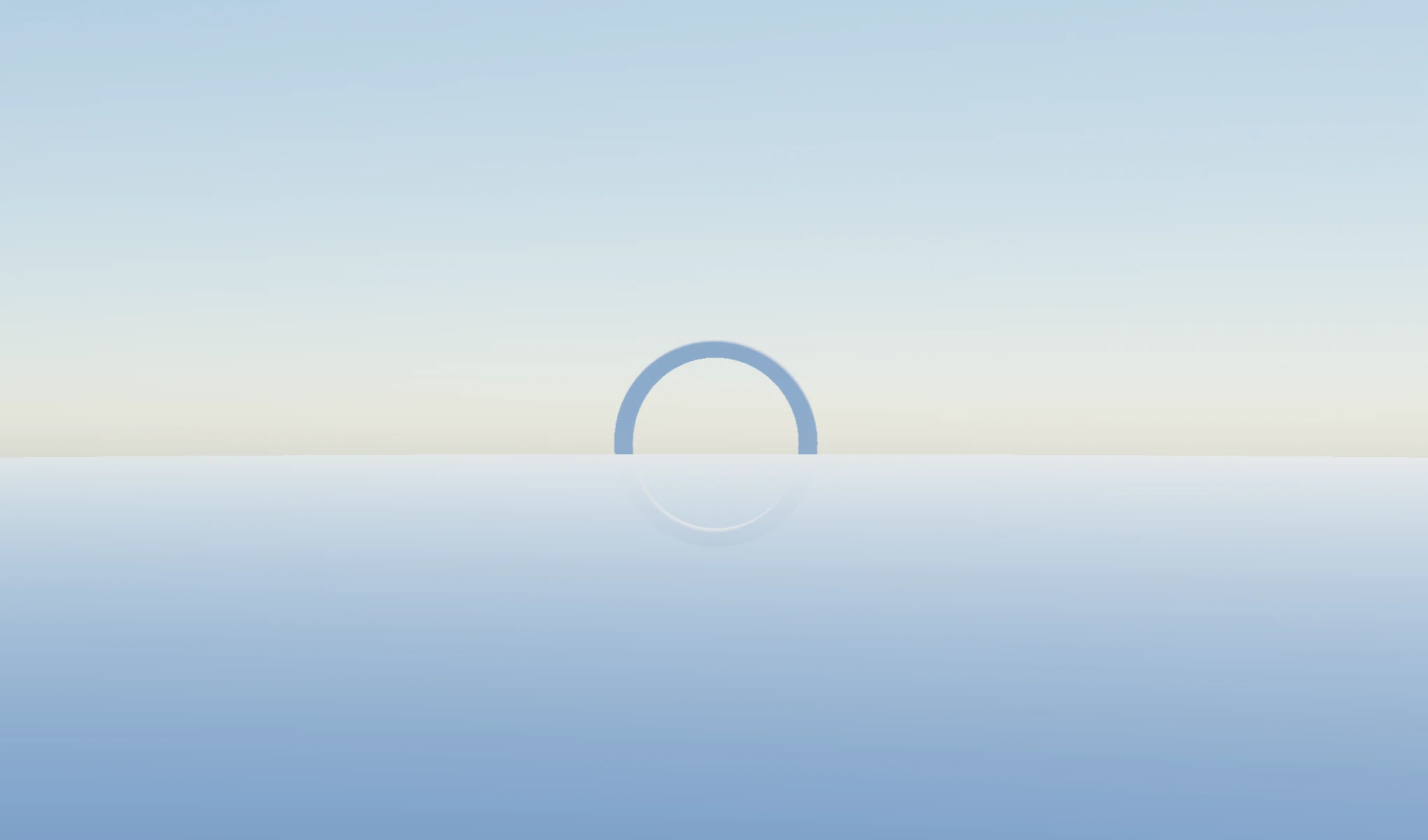
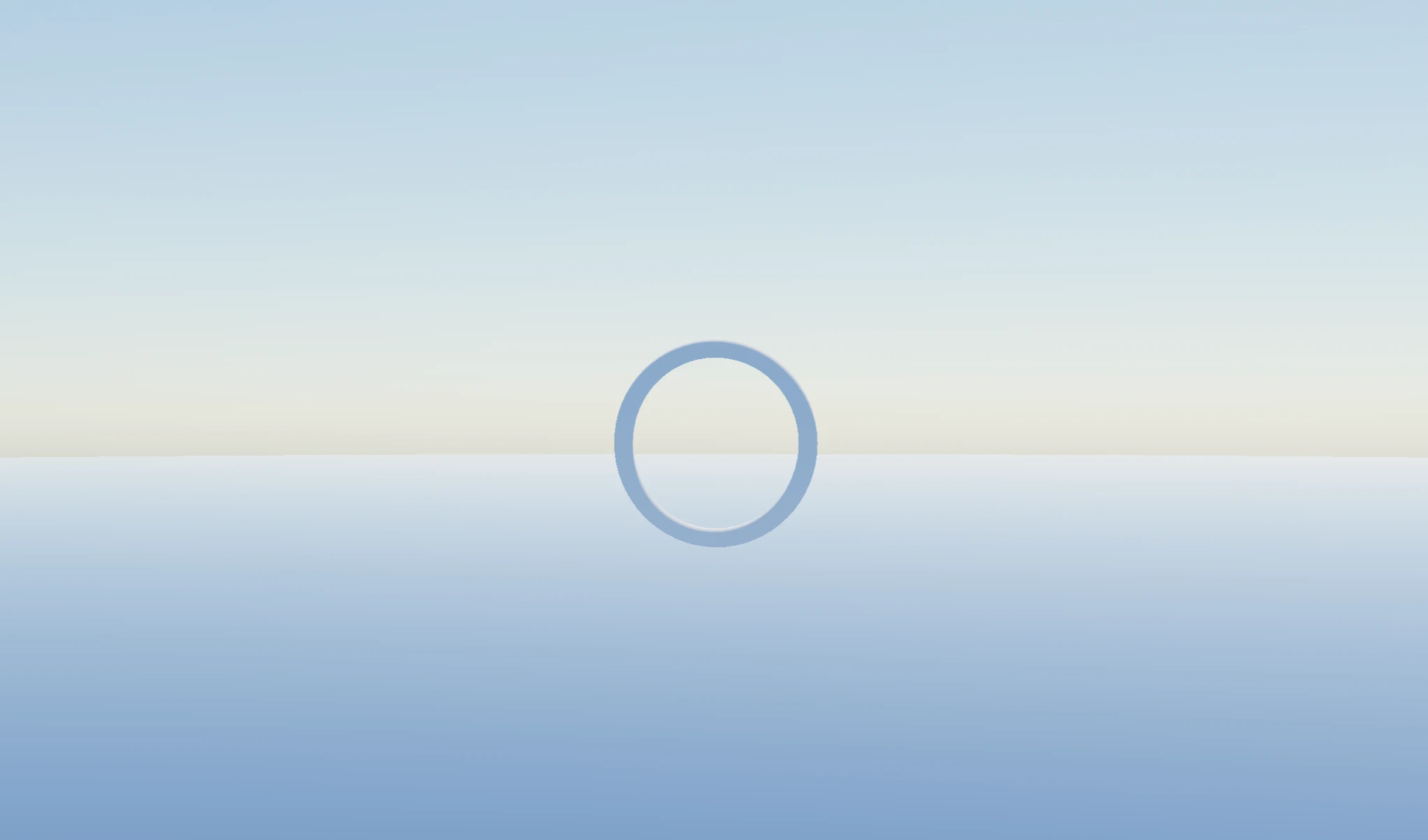
Notice how, without this logic, the surface of the planet will appear in front of our object.
With those two parts now in code, we have a full implementation of atmospheric scattering as a post-processing effect and can render atmospheres around planets. The scene below renders a simple “Sun - Earth system” in React Three Fiber, with our custom effect in place. I invite you to take some time to adjust the position of the sun, zoom out, and enjoy the sky colors this shader can yield from different angles, from ground to orbit.
The effect you can see in this demo is the same one I used to take the photos for the posters I posted in early April to announce this article:
Maxime@MaximeHeckeloutline for my upcoming, and very much on theme, article on atmospheric scattering felt inspired and made posters with photos of actual renders made with the techniques you’ll learn in it :) very excited for this one https://t.co/wSjdQPyoI0


 299392:03 PM - Apr 11, 2026
Handling eclipses
This is a little bonus section where I’d like us to answer the question: how can we handle large celestial objects blocking the sun? We now have a decent understanding of what’s at play in this atmospheric scattering shader when it comes to lighting, and adding this extra test is relatively easy.
We can add, after our lightMarch function, a function call that would return thesunVisibility ranging from [0, 1] and multiply the transmittance by this value. The function itself could be as easy as doing a dot product between:
- The direction between our current sampling point and the moon.
- The direction between our current sampling point and the sun.
If they were to match closely, i.e., close to 1.0, that means the moon would be obstructing the sun, and vice versa; if they were orthogonal, close to 0.0, there would be no obstruction. However, this doesn’t take into account the size and scale of the object in the scene.
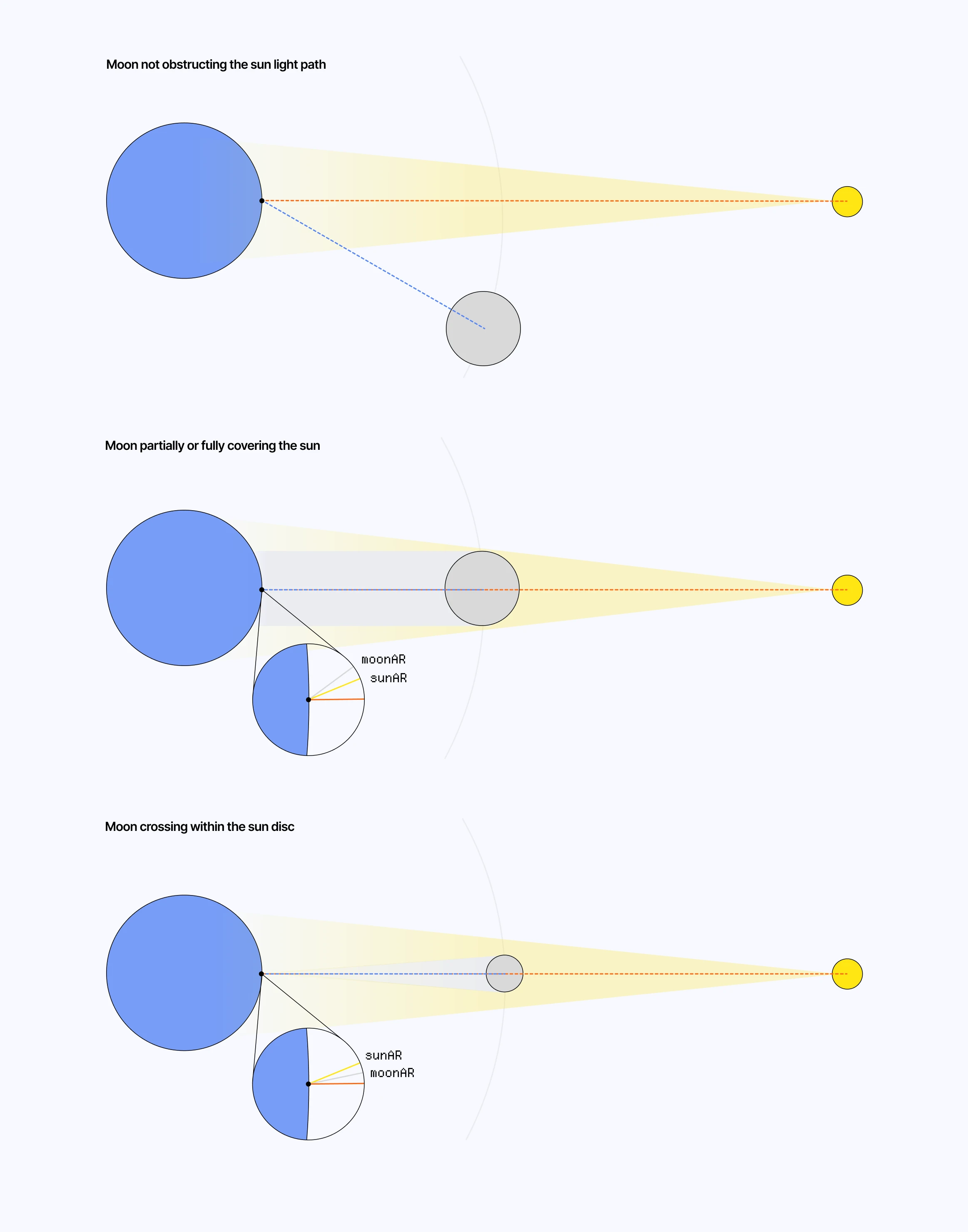
We need a function that can handle the three cases described in the diagram above:
- When the moon is not obstructing the sun.
- When it is, but is larger or close to the size of the sun from the camera’s POV.
- When it is, but fits within the radius of the sun from the camera’s POV.
sunVisibility function
1float sunVisibility(vec3 point) {2 vec3 sunDir = normalize(sunDirection);3 vec3 toMoon = moonPosition - point;4 float moonDist = length(toMoon);5 vec3 moonDir = normalize(toMoon);6 7 if (moonDist <= 1e-5) {8 return 1.0;9 }10 11 // Compare the apparent positions and sizes of the sun and moon in the sky.12 float angularSep = acos(clamp(dot(sunDir, moonDir), -1.0, 1.0));13 float sunAngularRadius = SUN_RADIUS / SUN_DISTANCE;14 float moonAngularRadius = moonRadius / moonDist;15 float outerEdge = sunAngularRadius + moonAngularRadius;16 17 // No overlap between the sun and moon disks: full sunlight.18 if (dot(sunDir, moonDir) < 0.9) {19 return 1.0;20 }21 22 // The moon appears larger than the sun, so it can fully cover it near the center.23 if (moonAngularRadius >= sunAngularRadius) {24 float innerEdge = moonAngularRadius - sunAngularRadius;25 return max(0.075, smoothstep(innerEdge, outerEdge, angularSep));26 }27 28 float innerEdge = sunAngularRadius - moonAngularRadius;29 float minVisibility = clamp(30 1.0 - (moonAngularRadius * moonAngularRadius) / (sunAngularRadius * sunAngularRadius),31 0.0,32 1.033 );34 35 // Partial overlap: smoothly fade between the minimum and full sunlight.36 return mix(minVisibility, 1.0, smoothstep(innerEdge, outerEdge, angularSep));37}Here, float angularSep = acos(clamp(dot(sunDir, moonDir), -1.0, 1.0)) represents the angular separation between the sun and moon directions.
- dot(sunDir, moonDir) represents the alignment between both directions.
- acos converts it back to an angle.
We can then use this value to compare it with the different angular thresholds outerEdge and innerEdge, representing, respectively, the angles at which the two discs start touching externally / internally.
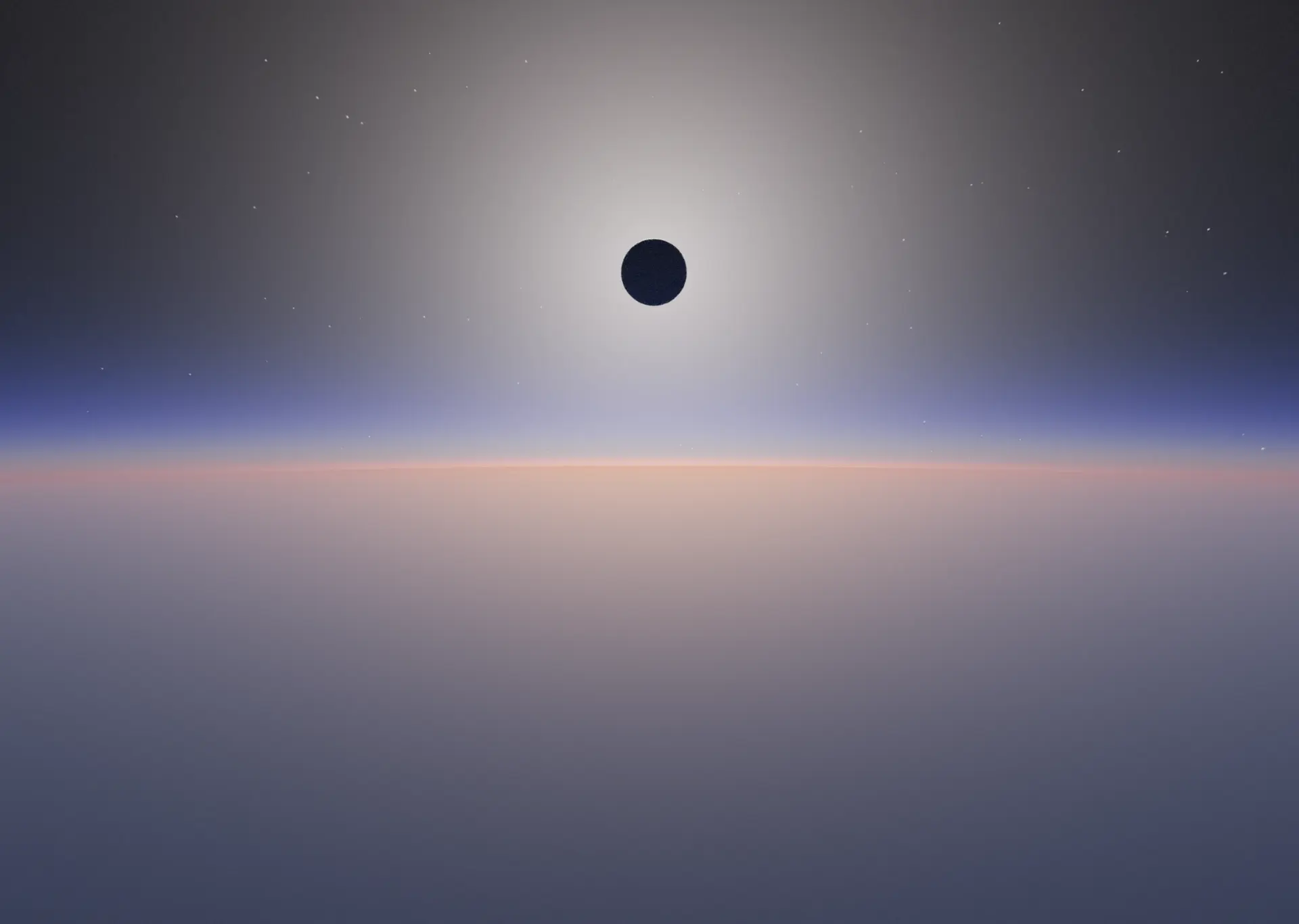
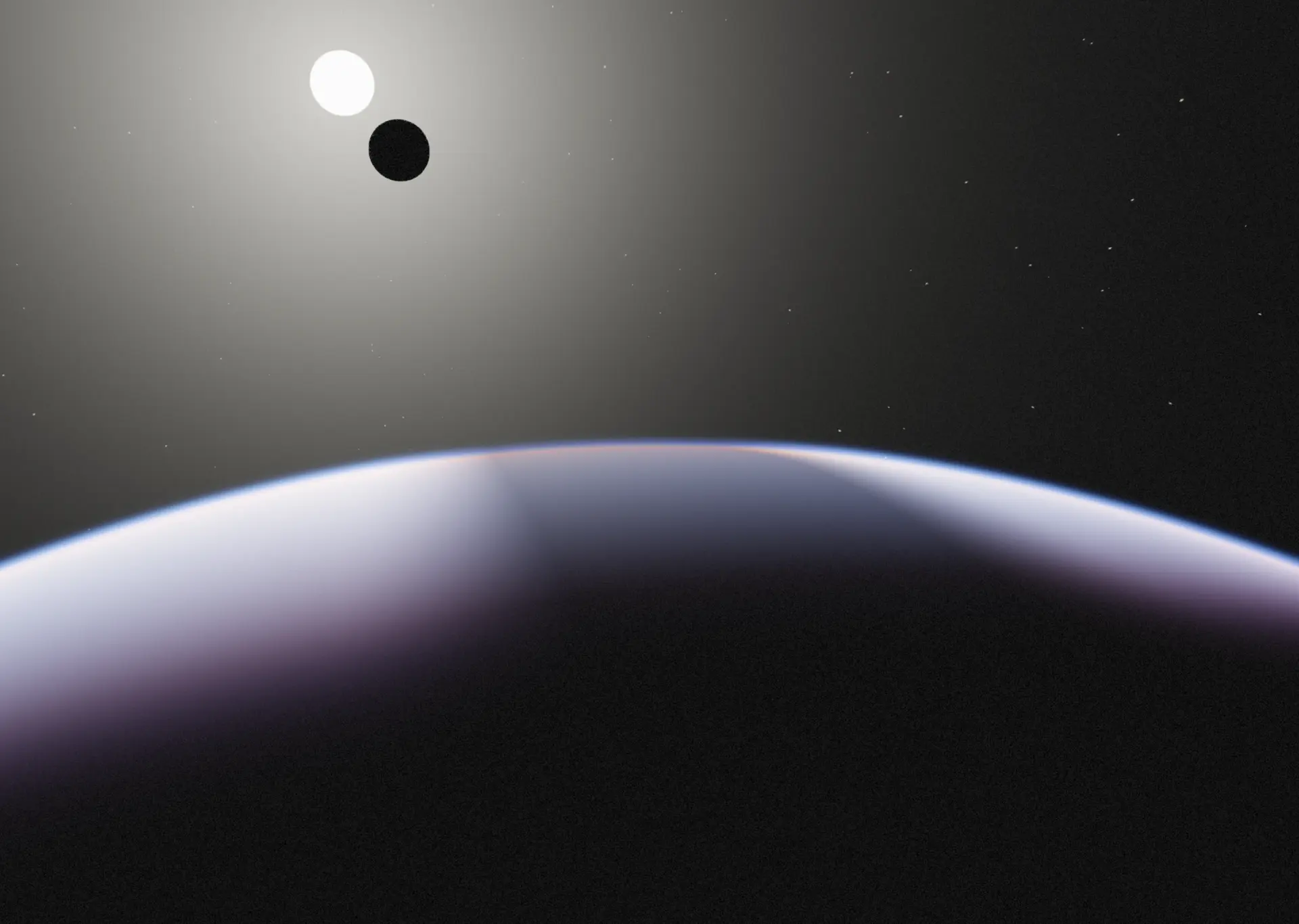
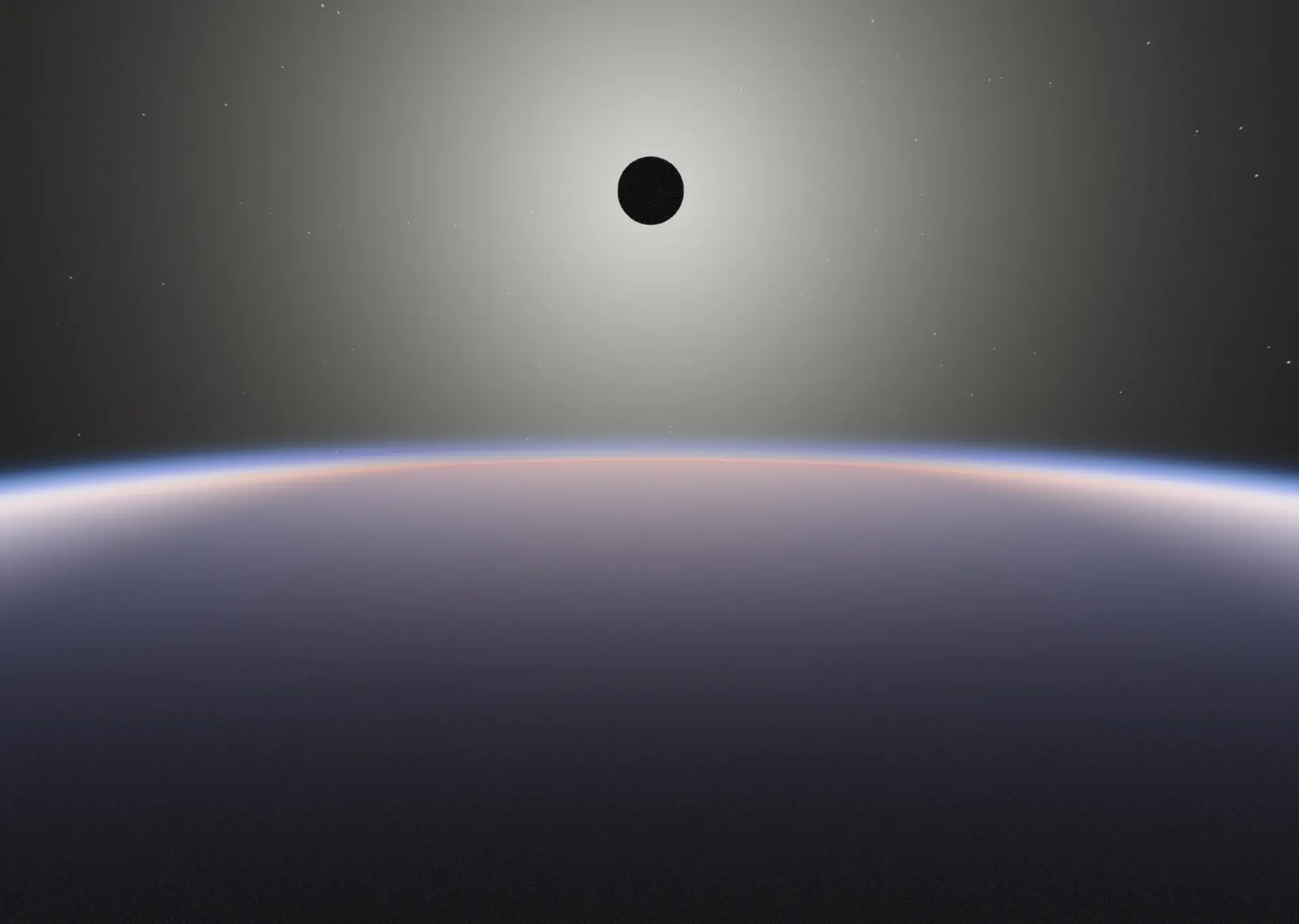
The demo below implements this sunVisibility function on top of our previous example, and also adds a moon mesh to our system. Try to align the moon with the sun, and notice how our Atmospheric Scattering shader properly handles the lack of light in those cases.
Outer-Worldly Atmosphere
Another bonus section! It’s your lucky day! The model we’ve been using throughout this article to simulate atmospheric density and scattering is mostly governed by a handful of constants:
- The radius of the planet and atmosphere
- RayleighScaleHeight and RayleighBeta.
- MieScaleHeight, MieBeta, mieBetaExt, and mieG
- OzoneHeight and OzoneWidth
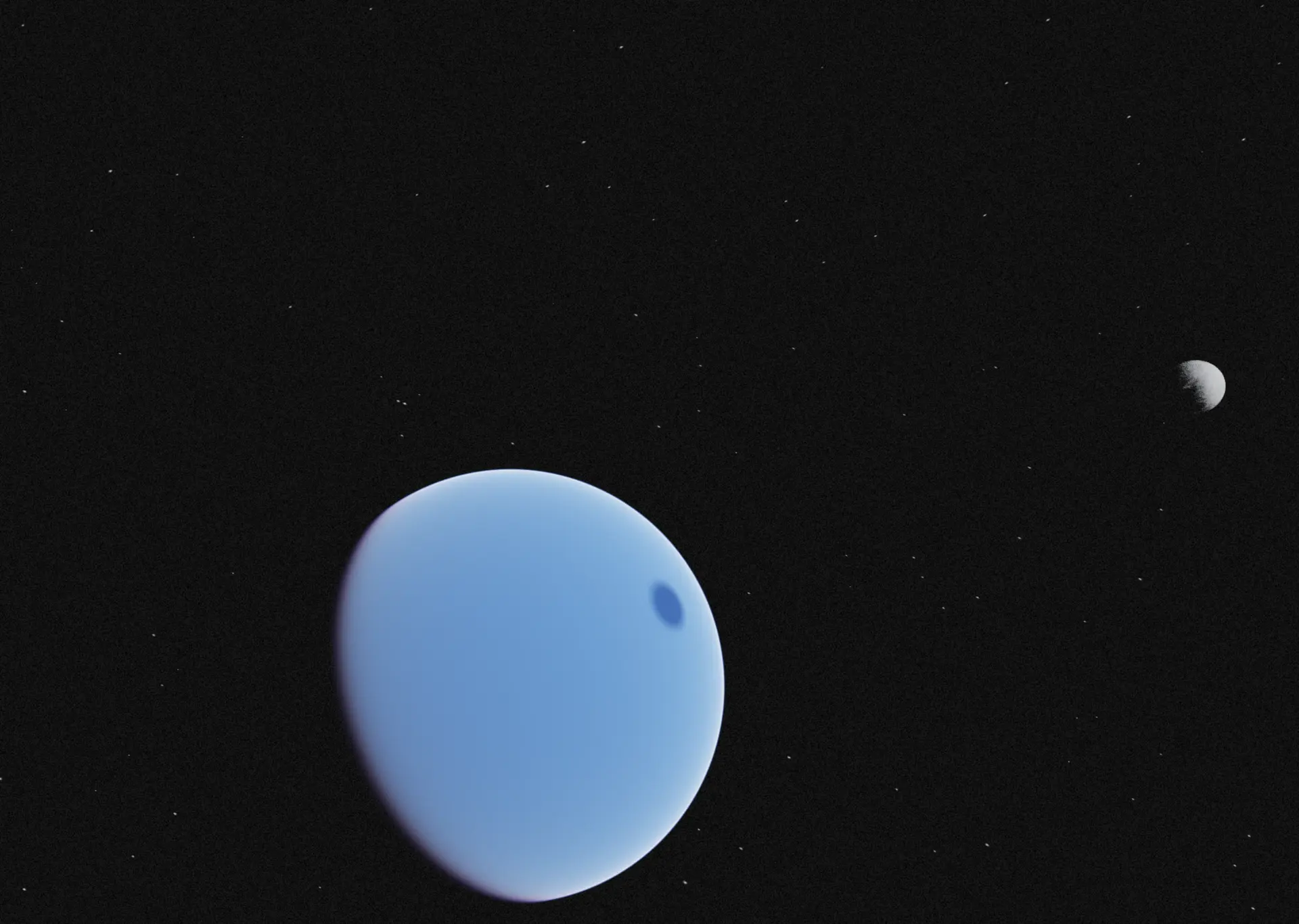
These are the main knobs that make our rendered atmosphere look the way it does. Thus, by tweaking them to the right set of values, we could, in theory, approach a martian atmosphere or even other planets'. Below is the set of values I set for Mars:
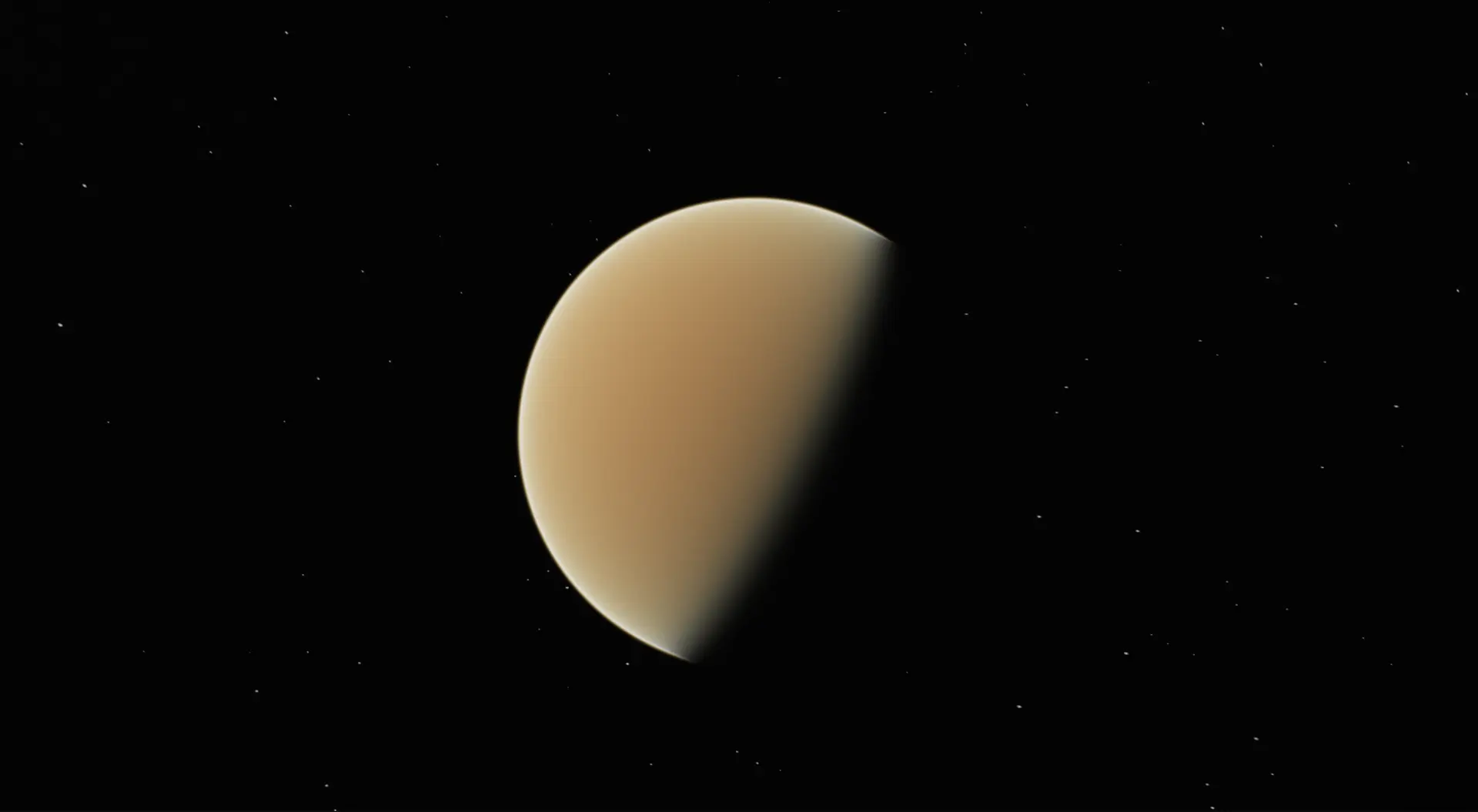
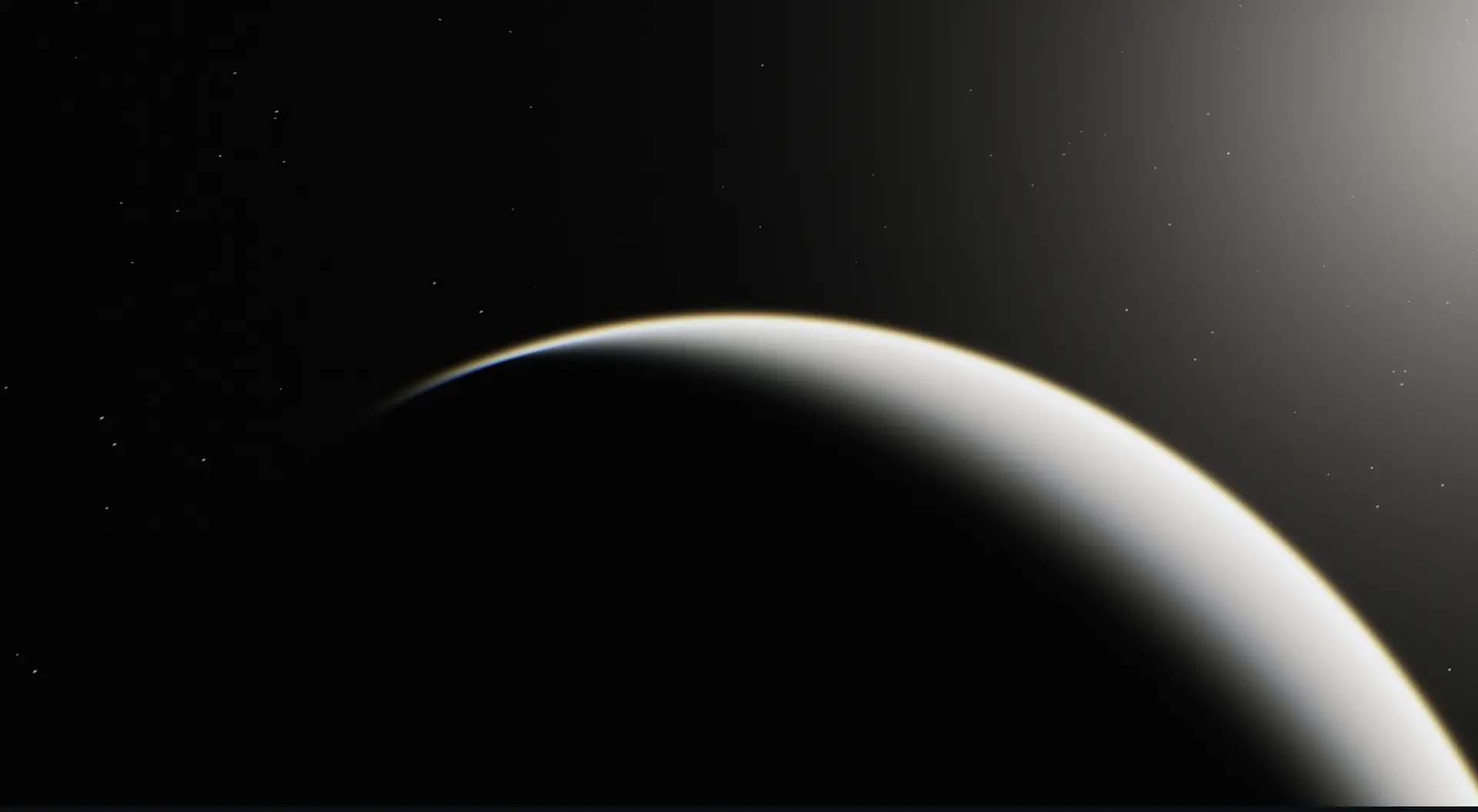
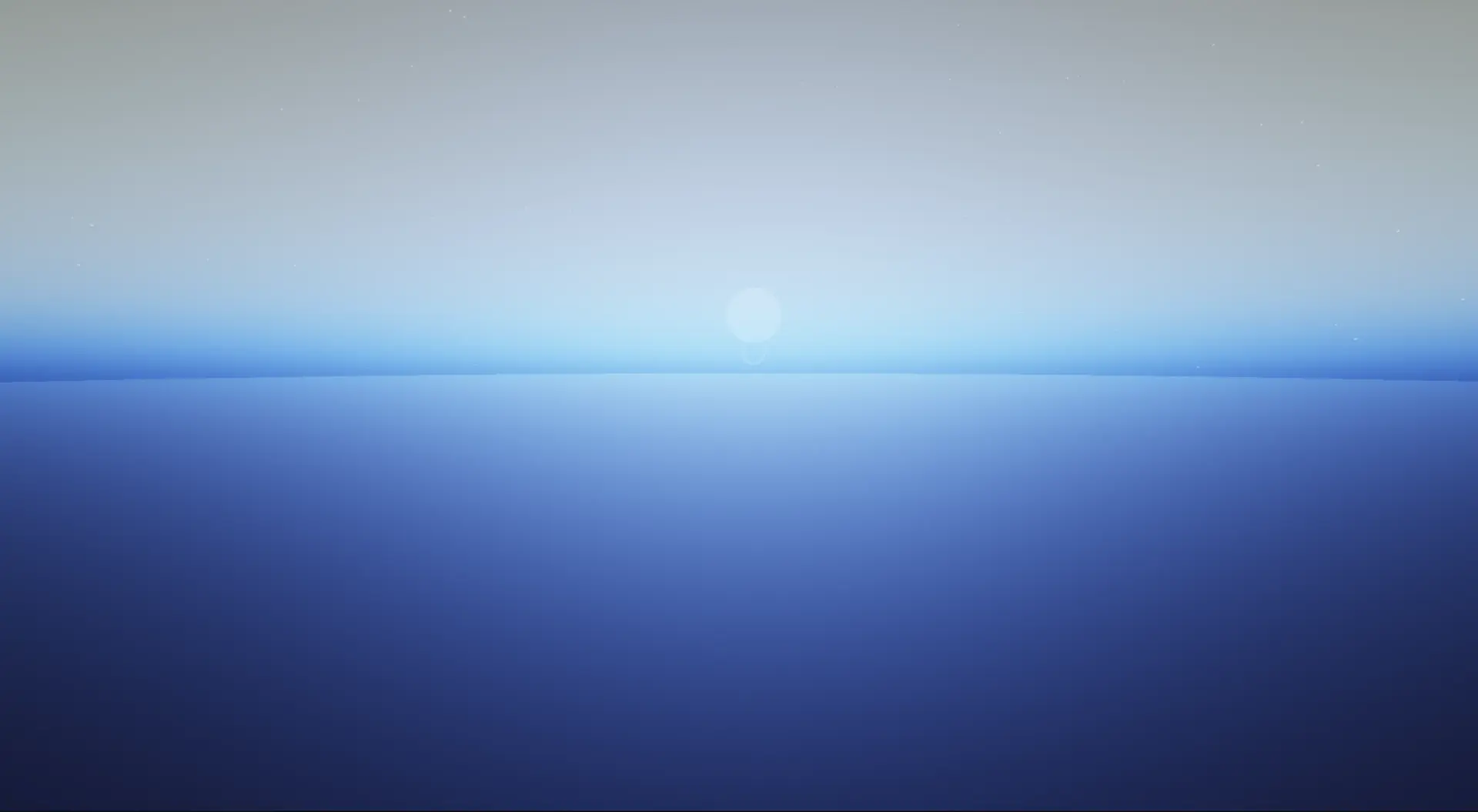
1// These values are only approximative2 3const Mars = {4 planetRadius: 3390,5 atmosphereRadius: 3500, // ~110 km thick6 rayleighScaleHeight: 11.1,7 rayleighBeta: new THREE.Vector3(0.019, 0.013, 0.0057),8 mieScaleHeight: 1.5,9 mieBeta: 0.04,10 mieBetaExt: 0.044,11 mieG: 0.65,12 ozoneCenterHeight: 0.0,13 ozoneWidth: 1.0,14 ozoneBetaAbs: new THREE.Vector3(0.0, 0.0, 0.0),15 sunIntensity: 15.0,16 planetSurfaceColor: '#8B4513',17};Just replacing our constants with these gives us a more dusty, orangy atmosphere. Even better, we get Mars' distinctive blue hue at sunset! Below are a couple of screenshots I took while working on this. You can try plugging those values into the previous demo to see the result by yourself.
LUT Based Atmospheric Scattering
The resulting shader we’ve built, albeit intuitive and able to render atmosphere at small and large scales, is unfortunately quite expensive to run:
- We have a large amount of PRIMARY_STEPS in our raymarching loop.
- We have a nested loop for lightmarching.
- We perform all the math at full screen resolution.
Alongside tackling those drawbacks, I also wanted to study how the pros were doing it when I reached this point in my exploration of atmospheric scattering. Sebastian Hillaire proposed in his paper titled A Scalable and Production Ready Sky and Atmosphere Rendering Technique, a method to render atmosphere based on Look Up Tables (LUTs), i.e. textures that can hold expensive scattering calculations, so the final render samples and composes those precomputed textures.
In this part, we will look into the respective implementations of:
- Transmittance LUT, which stores the amount of light that survives as it travels through the atmosphere.
- Sky-view LUT, which stores the resulting sky color for a given camera position
- Aerial Perspective LUT, which stores the atmospheric haze/fog between the camera and visible scene geometries, including the amount of light added by scattering and its effect on the scene’s colors.
Transmittance LUT
In our original shader, every sample point calls the lightmarch function to get the amount of light from our sun that reaches it, which, as you may guess, is quite expensive. The goal of this LUT is to store that data beforehand, preferably at a low resolution, so we can then load it into subsequent LUTs whenever we need that light data.
My implementation for this LUT, and any that follows, consists of:
- Define a dedicated Frame Buffer Object at a specific resolution. For this one in particular, I picked 250 x 64.
- Define a material with a custom shader that will hold the logic to generate our LUT data.
- Apply it to a full-screen quad in a dedicated scene, in this case, transmittanceLUTScene.
- Render the scene, and pass the resulting texture as a uniform to downstream LUTs.
It may seem a bit convoluted, but as said before, ideally, you’d use WebGPU and compute shaders for this and thus not need those FBOs.
For the tramittance, we’re extracting the expensive lightmarch loop into its own pass by putting it in the transmittanceLUTFragmentShader. The code below is what I used to generate my texture:
Transmittance LUT
1void main() {2 float mu = mix(-1.0, 1.0, vUv.x);3 4 float radius = mix(planetRadius, atmosphereRadius, vUv.y);5 vec3 rayOrigin = vec3(0.0, radius, 0.0);6 float sinTheta = sqrt(max(1.0 - mu * mu, 0.0));7 vec3 rayDir = normalize(vec3(sinTheta, mu, 0.0));8 9 vec2 atmosphereHit = raySphereIntersect(10 rayOrigin,11 rayDir,12 vec3(0.0),13 atmosphereRadius14 );15 16 vec2 planetHit = raySphereIntersect(17 rayOrigin,18 rayDir,19 vec3(0.0),20 planetRadius21 );22 23 float rayLength = atmosphereHit.y;24 25 if (rayLength <= 0.0) {26 gl_FragColor = vec4(1.0);27 return;28 }29 30 if (planetHit.x > 0.0) {31 gl_FragColor = vec4(0.0, 0.0, 0.0, 1.0);32 return;33 }34 35 float stepSize = rayLength / float(TRANSMITTANCE_STEPS);36 float rayleighOD = 0.0;37 float mieOD = 0.0;38 float ozoneOD = 0.0;39 40 for (int i = 0; i < TRANSMITTANCE_STEPS; i++) {41 float t = (float(i) + 0.5) * stepSize;42 vec3 samplePoint = rayOrigin + rayDir * t;43 rayleighOD += rayleighDensity(samplePoint) * stepSize;44 mieOD += mieDensity(samplePoint) * stepSize;45 ozoneOD += ozoneDensity(samplePoint) * stepSize;46 }47 48 vec3 tau =49 rayleighBeta * rayleighOD +50 mieBetaExt * mieOD +51 ozoneBetaAbs * ozoneOD;52 53 gl_FragColor = vec4(exp(-tau), 1.0);54}- For each pixel, we ray march from vec3(0.0, radius, 0.0), which grows between planetRadius and atmosphereRadius along the vUv.y coordinate.
- The direction rayDir defines the light direction for any given pixel of our LUT, which varies between mu = -1, i.e., a downward direction toward the planet’s surface, rayDir = vec3(0.0, -1.0, 0.0), and mu = 1 , a upward direction toward space, rayDir = vec3 (0.0, 1.0, 0.0). When mu = 0, rayDir = vec3(1.0, 0.0, 0.0) meaning the light travels horizonally, grazing the atmosphere.
- We use the same raySphereIntersect and atmospheric scattering functions introduced earlier.
This results in the following transmittance LUT texture:
UniformsOzonePath Extinction DebugHere’s how you can interpret this texture:
- The x-axis represents the angle of the light. On the left side, we have light looking straight down towards the ground, hence the dark colors. The right side, on the other hand, represents light looking straight up.
- The y-axis represents the altitude. The bottom of the image is the ground / sea level, while the top is the edge of our atmosphere.
- Pure white represents a transmittance of 100% where light has a clear path.
- Black/colored areas represent the ground/the part where the air is at its thickest, especially near the ground where some of the light is extinct.
Subsequent LUTs can now answer the question of "how much light survives at a given angle and altitude through our atmosphere" very quickly by just looking up that value in this texture.
Sky View and Aerial Perspective LUTs
These two LUTs leverage the transmittance data we just computed in its respective texture and answer two complementary questions:
- If I look in a specific direction from the ground up, what color is the sky? Sky Color
- How much atmosphere is between my current position and any object in the scene? Atmospheric Fog
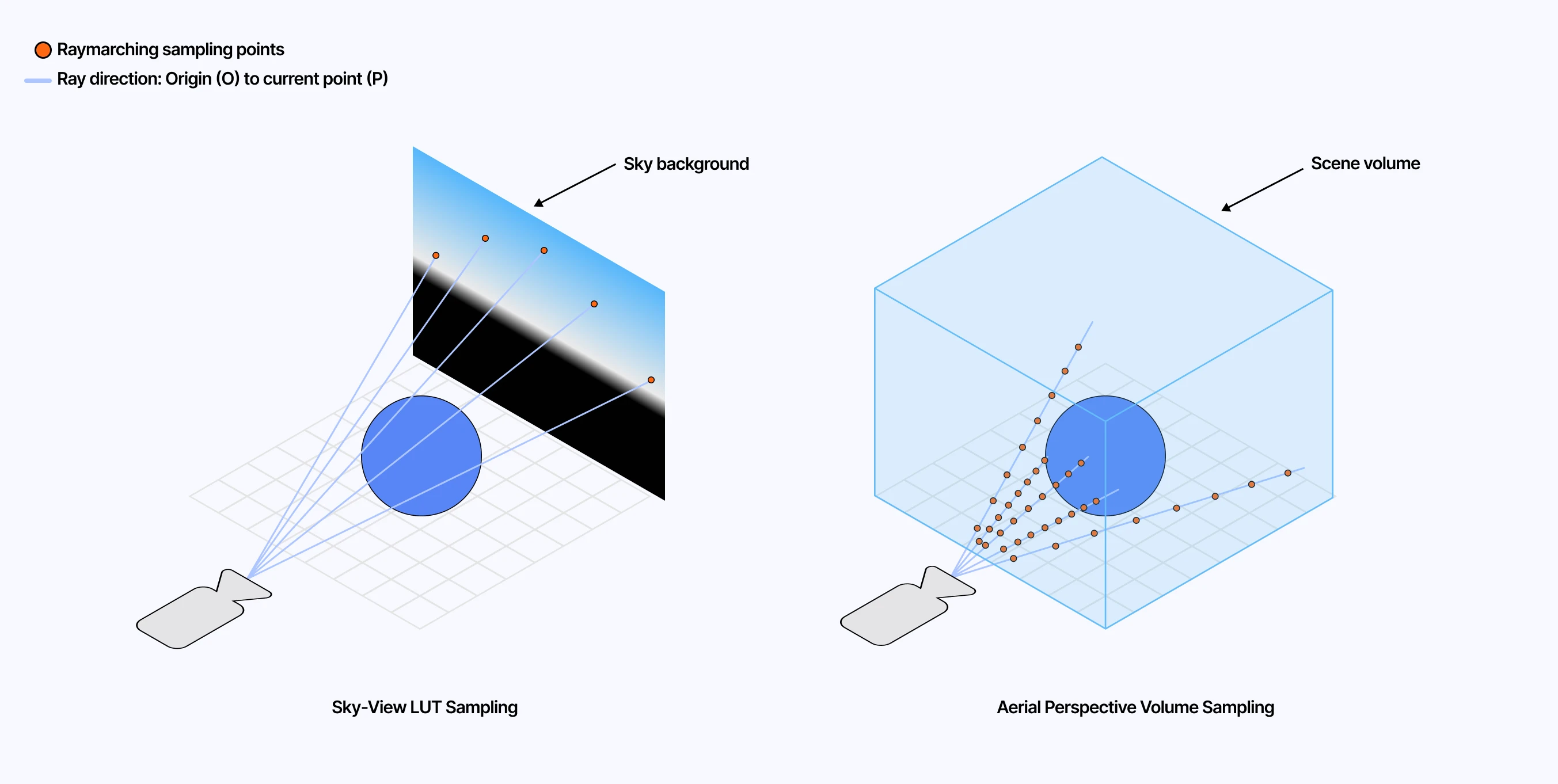
Combining both those LUTs will give us the full atmospheric scattering effect. The former handles far-field color while the latter calculates near-field haze. Using a similar process involving FBO and off-screen scenes, we can define distinct shaders to generate both LUTs.
For the Sky View texture, I ended up with the following code:
Excerpt of the Sky View LUT
1vec3 getSkyViewForward(vec3 up) {2 // Project the sun direction onto the local horizon so azimuth has a stable reference.3 vec3 projectedSun = sunDirection - up * dot(sunDirection, up);4 return normalize(projectedSun);5}6 7vec3 getSkyViewRayDir(vec2 uv, vec3 up) {8 vec3 forward = getSkyViewForward(up);9 vec3 right = normalize(cross(forward, up));10 11 // Horizontal angle around the sky, centered around the projected sun direction.12 float azimuth = (uv.x * 2.0 - 1.0) * PI;13 14 // Quadratic mapping: uv.y still covers [-PI/2, PI/2],15 float elevation = (uv.y * uv.y - 0.5) * PI;16 17 float cosElevation = cos(elevation);18 vec3 horizontal = cos(azimuth) * forward + sin(azimuth) * right;19 20 return normalize(horizontal * cosElevation + up * sin(elevation));21}22 23void main() {24 vec3 rayOrigin = uCameraPosition;25 vec3 up = normalize(rayOrigin);26 vec3 rayDir = getSkyViewRayDir(vUv, up);27 vec3 planetCenter = vec3(0.0);28 29 vec2 atmosphereHit = raySphereIntersect(rayOrigin, rayDir, planetCenter, atmosphereRadius);30 vec2 planetHit = raySphereIntersect(rayOrigin, rayDir, planetCenter, planetRadius);31 32 // Skip rays that never enter the atmosphere.33 if (atmosphereHit.y <= 0.0) {34 gl_FragColor = vec4(0.0, 0.0, 0.0, 1.0);35 return;36 }37 38 // March only through the visible atmospheric segment, stopping early if the ray hits the planet.39 float atmosphereNear = max(atmosphereHit.x, 0.0);40 float atmosphereFar = atmosphereHit.y;41 if (planetHit.x > atmosphereNear) {42 atmosphereFar = min(atmosphereFar, planetHit.x);43 }44 45 float atmosphereSegmentLength = atmosphereFar - atmosphereNear;46 float stepSize = atmosphereSegmentLength / float(SKY_VIEW_STEPS);47 48 // Same atmospheric scattering loop as before, but this time along the49 // Sky View ray direction and using the Transmittance LUT for sunlight.50 51 // ...52 53 gl_FragColor = vec4(scatteredLight, 1.0);54}The major thing to highlight here is the getSkyViewRayDir, which defines our raymarching ray directions. In this case:
- The x-axis, vUv.x maps to the azimuth, i.e., left-to-right directions from [-PI, PI].
- The y-axis,vUv.y, maps to the elevation, as a quadratic mapping (vUv.y * vUv.y - 0.5) * PI 3, i.e., our vertical sky angle ranging from [-PI/2, PI/2].
- Finally, we turn those two angles into a 3D rayDir: up points toward the sky, forward points along the horizon toward the sun, and right lets us sweep left and right around the sky.
With this definition of our rayDir, our raymarching loop here yields a texture representing the color of the sky for directions across the entire sky dome.
When it comes to the Aerial Perspective, as mentioned earlier, I slightly diverged from Hillaire’s paper. My resulting texture is a 2D texture where each pixel corresponds to one visible screen pixel. I rely on the depth buffer of the scene to tell how far along the ray we should march and accumulate scattering.
As a result, this lets me reuse more or less the same scattering code introduced in the first part, except that now each sample pulls sunlight visibility from the Transmittance LUT. The output stores the accumulated atmospheric scattering in RGB and a packed view transmittance value in alpha, which we will use later during composition.
Excerpt of the Aerial Perspective LUT
1void main() {2 float depth = texture2D(depthBuffer, vUv).x;3 4 // Reconstruct the world-space position for this screen pixel from the depth buffer.5 vec3 rayOrigin = uCameraPosition;6 vec3 worldPosition = getWorldPosition(vUv, depth);7 vec3 rayDir = normalize(worldPosition - rayOrigin);8 float sceneDepth = logDepthToRayDistance(vUv, depth);9 10 vec2 atmosphereHit = raySphereIntersect(rayOrigin, rayDir, vec3(0.0), atmosphereRadius);11 vec2 planetHit = raySphereIntersect(rayOrigin, rayDir, vec3(0.0), planetRadius);12 13 if (atmosphereHit.y <= 0.0) {14 gl_FragColor = vec4(0.0, 0.0, 0.0, 1.0);15 return;16 }17 18 // March only through the visible part of the atmosphere:19 // stop at the scene depth, or earlier if the ray hits the planet.20 float atmosphereNear = max(atmosphereHit.x, 0.0);21 float atmosphereFar = atmosphereHit.y;22 23 if (planetHit.x > 0.0) {24 atmosphereFar = min(atmosphereFar, planetHit.x);25 26 if (sceneDepth < planetHit.x - 2.0) {27 atmosphereFar = min(atmosphereFar, sceneDepth);28 }29 } else {30 atmosphereFar = min(atmosphereFar, sceneDepth);31 }32 33 float segmentLength = atmosphereFar - atmosphereNear;34 float stepSize = segmentLength / float(AERIAL_PERSPECTIVE_STEPS);35 36 // Same scattering loop as before, but along the view ray for this pixel.37 for (int i = 0; i < AERIAL_PERSPECTIVE_STEPS; i++) {38 float t = atmosphereNear + (float(i) + 0.5) * stepSize;39 vec3 samplePoint = rayOrigin + rayDir * t;40 41 // Instead of raymarching toward the sun, look up sunlight visibility.42 vec3 sunTransmittance = sampleTransmittanceLUT(samplePoint, sunDirection);43 44 // Accumulate Rayleigh and Mie scattering using sunTransmittance.45 // ...46 }47 48 // RGB stores scattered light; alpha stores view transmittance for composition.49 gl_FragColor = vec4(scatteredLight, packedTransmittance);50}Composition
With the Sky-view and Aerial Perspective LUTs generated, we have only one step remaining: combining them in a final post-processing pass to achieve the full LUT-based atmospheric scattering result. The code mainly consists of:
- Converting the current rayDir into skyViewUV coordinates, so given any direction in the sky, we know where to sample the precomputed Sky-view LUT.
- Reconstructing the view ray from the depth buffer and checking whether that ray hits the planet.
- Applying the Aerial Perspective LUT to scene geometry, using its alpha channel as view transmittance and its RGB channels as scattered light.
- Sampling the Sky View LUT for background pixels.
The playground below contains all the full implementation of our LUT-based atmosphere: all the LUTs and their corresponding shader, as well as the final post-processing pass. It is a bit dense, so I’d recommend checking the implementation directly at this Github link, where you’ll find the code that renders the scene below.
Final Thoughts
This version of atmospheric scattering may look almost identical to the one we worked on in the earlier parts of this post, but the underlying process is different: we split the work into smaller LUTs that we then compose in the final effect. Most importantly, instead of repeatedly raymarching toward the sun to figure out how much light reaches each sample, we can fetch that lighting information directly from the Transmittance LUT, replacing a costly nested loop with a simple texture lookup and resulting in a non-negligible performance boost for the final scene.
Despite that, my LUT-based implementation pales in comparison to what Sébastian Hillaire and others in the field came up with:
- There’s some banding and flickering happening, particularly in the sky-view
- The shortcuts I took made the process less optimal than it could have been.
- I should probably have used WebGPU from the get-go.
If you want to look at a real production-grade implementation, I highly recommend checking out three-geospatial by Shoda Matsuda (@shotamatsuda). His work on skies, clouds, and geospatial rendering has been a huge reference point for me, and the images he shares on social media speak for themselves.
Nonetheless, I learned a lot throughout this entire project, especially through the LUT-based approach, which took me out of my comfort zone when it comes to creating screen-space depth-aware post-processing effects. It also consolidated some previous learnings, and resulted in a series of beautiful visuals (which is the most important after all).
I’m very happy with the result of those experiments. I also worked on adding volumetric clouds on top of that, but the result is still a bit of a mixed bag and needs more work put into it before I could be proud enough of it to showcase it in a write-up. This will have to wait. Until then, I’m looking forward to leveraging that work to complement my upcoming projects and scenes I have been slowly shaping in my head.
Схожі новини
Subnautica 2 открыла предзаказ и предзагрузку за три дня до релиза