iOS 26’s new Phone app won me over with two excellent features

iOS 26 overhauled one of the iPhone’s original and most iconic apps: the Phone app. While I’ve never enjoyed phone calls, two excellent new features make them a lot better in iOS 26—and have made me a big fan of the app.
Phone app was redesigned in iOS 26, but the best changes have nothing to do with the design
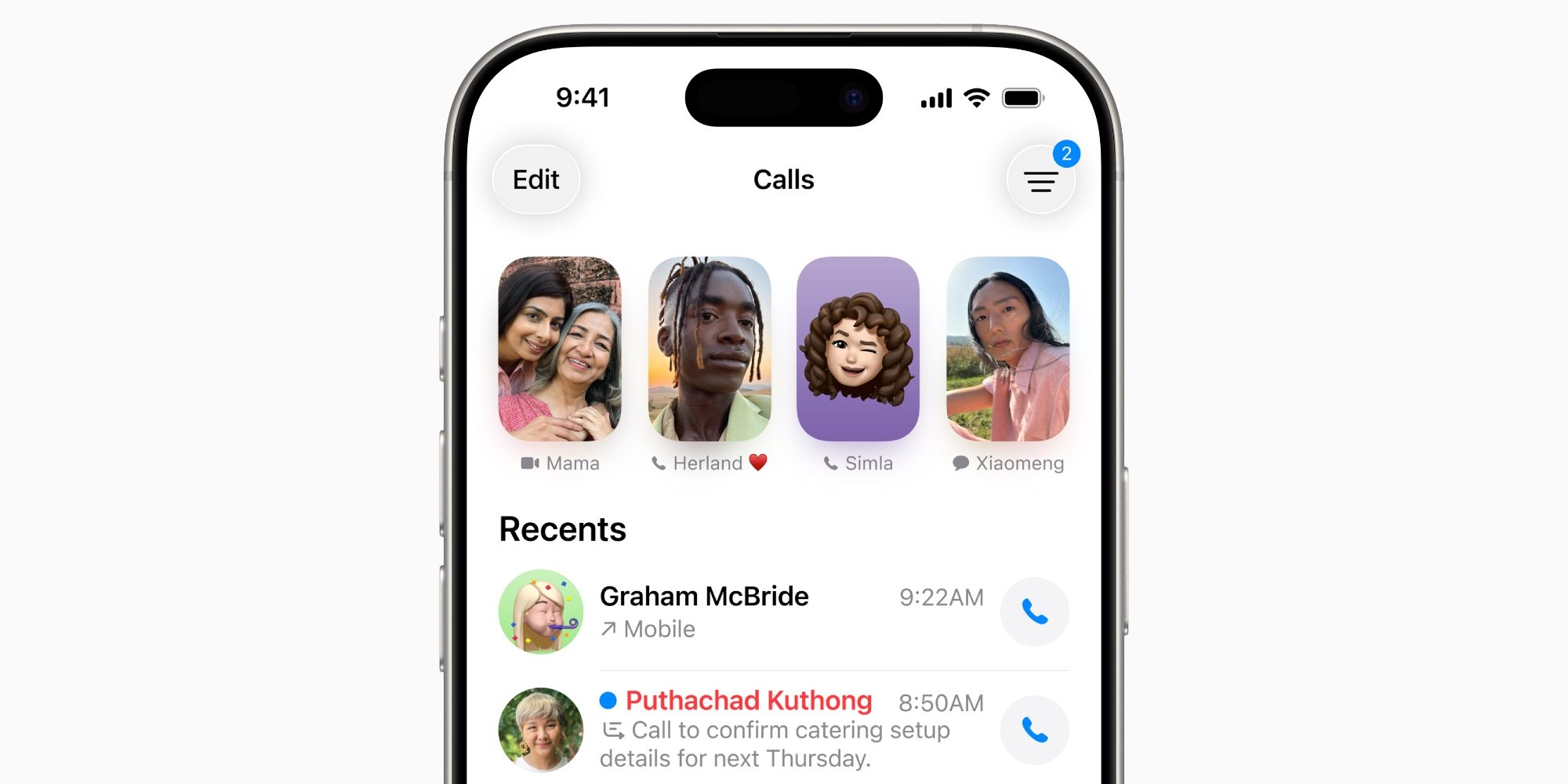
Apple doesn’t introduce big redesigns for apps very often. And its recent track record for major changes isn’t the best.
For example, iOS 18’s Photos redesign proved highly controversial, leading Apple to walk back some of the core changes. Similarly, iOS 18.2’s Mail app overhaul wasn’t the best received.
In iOS 26, the Phone app was the latest core app to get redesigned.
I don’t dislike the changes, but they haven’t exactly sold me either. After Apple’s experiences with Photos and Mail, I’m not surprised the company shipped an option to revert to the old Phone design right from the start.
But my indifference to the new design aside, Apple’s Phone app has become an absolute favorite update for me in iOS 26 thanks to two new features:
- Call Screening
- Hold Assist
Call Screening and Hold Assist features make iOS 26’s Phone app one of my favorite updates
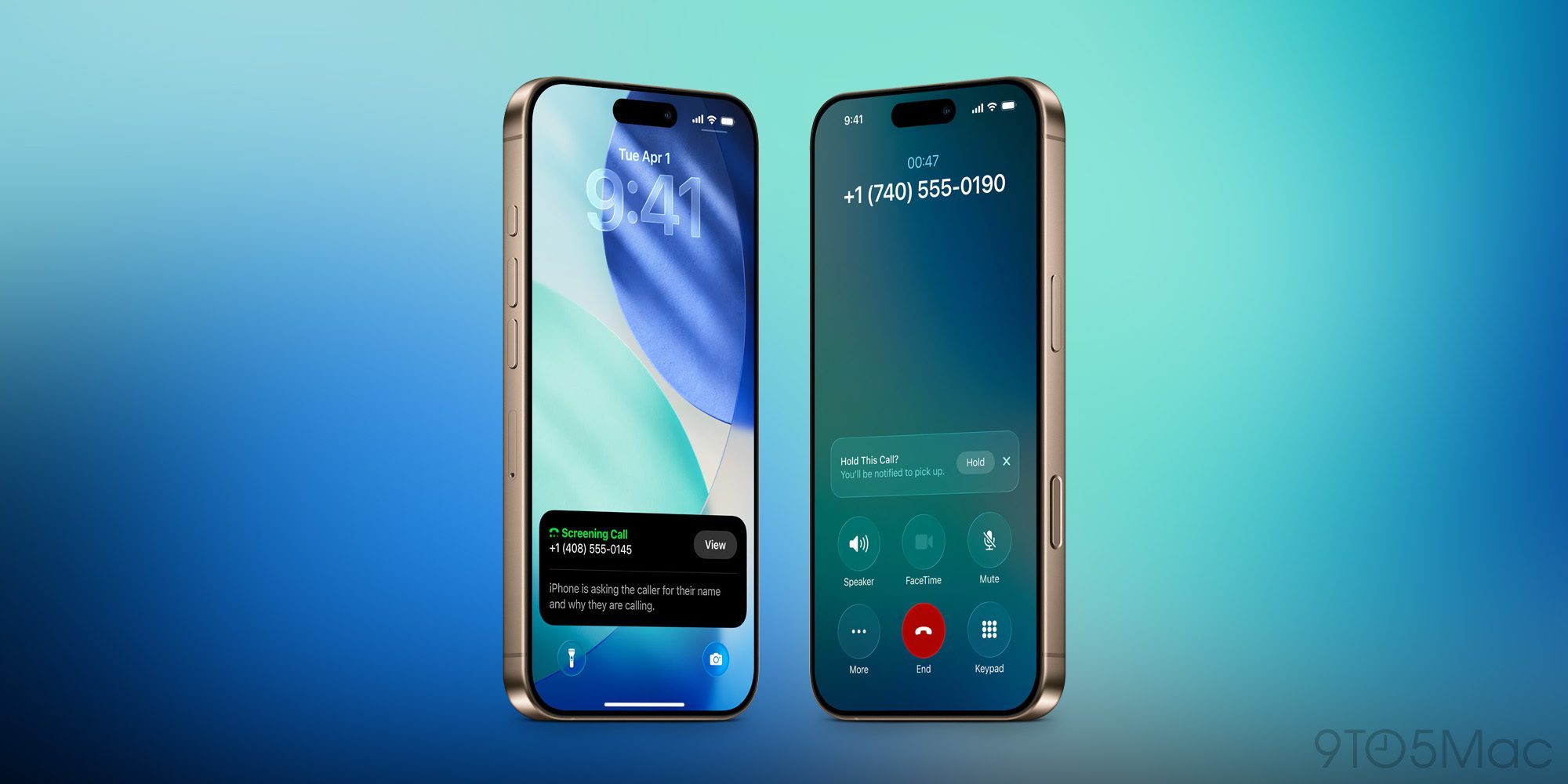
Call Screening and Hold Assist are both opt-in features, so make sure you have them enabled by visiting Settings ⇾ Apps ⇾ Phone.
Apple offers a few different options for screening, but I’ve chosen the ‘Ask Reason for Calling’ setting under ‘Screen Unknown Callers.’
Here’s what it does: “Calls from unsaved numbers will be asked for more information before iPhone rings.”
This is a fantastic change that meaningfully cuts down on spam calls. Now, I don’t have to waste time rejecting telemarketers’ offers, or have my focus stolen by unwanted calls.
I also never have to wonder whether a call is worth answering or not. For important calls, my Lock Screen shows me who is calling and why, right when the ringer kicks in. And if it’s a spam call, I won’t even get bothered by a ringer.
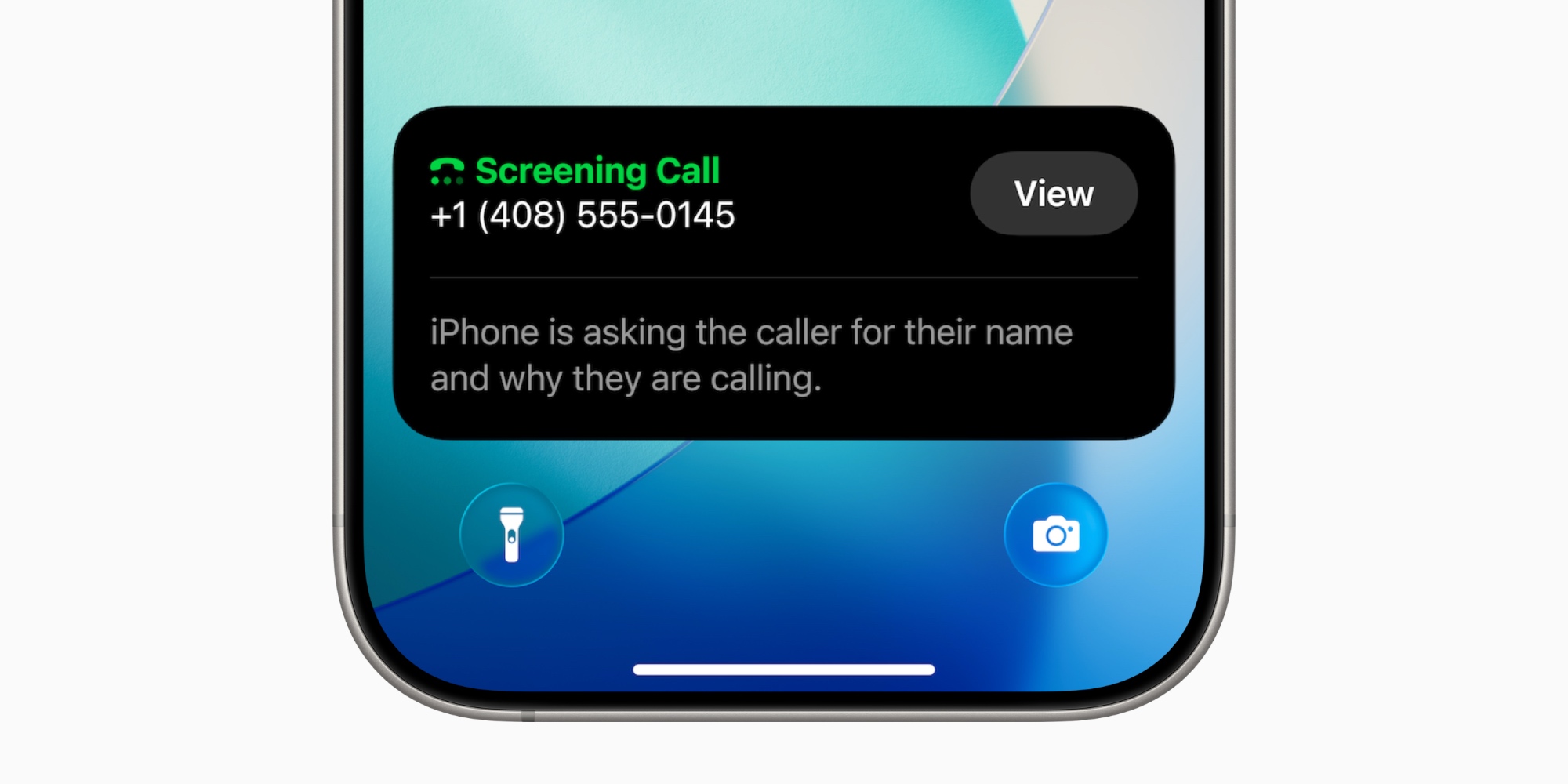
Hold Assist is another great addition that reduces the pain of feeling stuck on hold forever.
You’ll find it labeled ‘Hold Assist Detection’ in Settings. Here’s Apple’s description: “Automatically detect when you are placed on hold, so you can step away. iPhone will then notify you when it’s time to pick up.”
You can also hit the three-dot icon on the call screen and manually enable Hold Assist from there.
These two features, combined with the beautiful new ringtones in iOS 26, have made the Phone app one of my favorite updates of the year.
Have you been using iOS 26’s new Phone app features? How have they worked for you? Let us know in the comments.
Best iPhone accessories
- AirPods Pro 3 (now only $199, down from $249)
- MagSafe Car Mount for iPhone
- 10-year AirTag battery case 2-pack
- 100W USB-C fast charging power adapter
- Apple’s new AirTag 2 (1-pack / 4-pack)


Схожі новини

В бюджете США на 2027 год не заложили финансирование программы военной помощи Украине
Apple за один квартал витратила на дослідження й розробки рекордні для компанії $11,4 мільярда

З початку року лікарні ввели у роботу 590 кВт сонячних панелей