iOS 26.5 gave Messages app encrypted RCS, here’s how to check it’s working

iOS 26.5 launched earlier this month, with one of the major new features the addition of RCS end-to-end encryption in the Messages app. Here’s how to check it’s enabled on your iPhone and active in a given conversation.
iOS 26.5 adds end-to-end encrypted RCS messaging
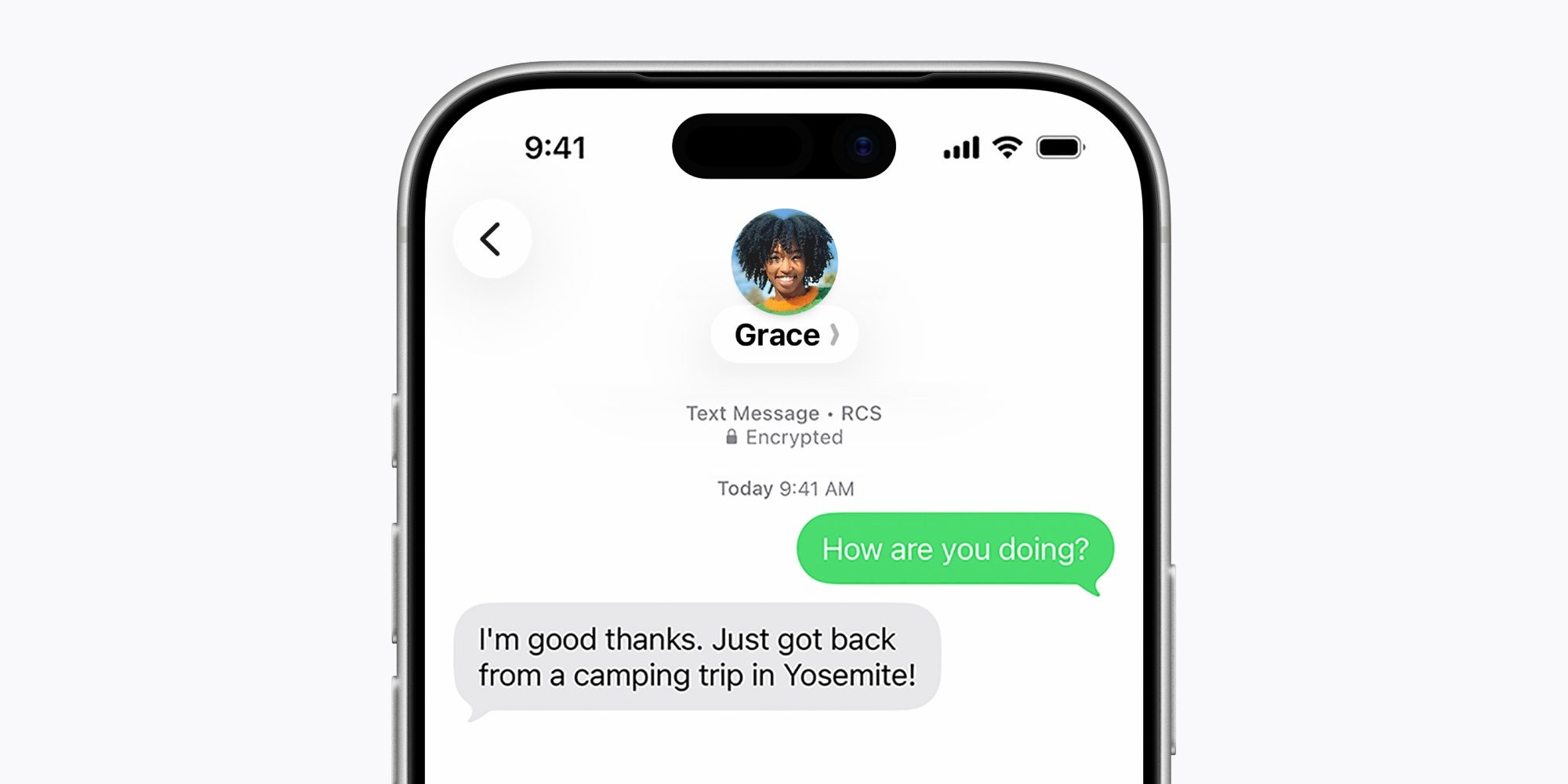
One of the many benefits of using iMessage is that you know your conversations are always end-to-end encrypted. That level of security has never previously extended to green bubble conversations. But in iOS 26.5, now it can.
iOS 26.5 upgraded the Messages app with support for RCS end-to-end encryption. You can find supported carriers via the link below.
RCS end-to-end encryption is currently available in beta, and it’s on by default in iOS 26.5.
To confirm it’s enabled on your iPhone, go to Settings ⇾ Apps ⇾ Messages ⇾ RCS Messaging and ensure the ‘End-to-End Encryption’ toggle is on.
But the toggle being on isn’t a guarantee that all of your RCS conversations are encrypted. Per Apple’s website:
RCS messages can be end-to-end encrypted when all participants have carriers that support encryption…Even if your carrier supports encrypted RCS messages, the encryption of each RCS conversation depends on whether your contact’s carrier also supports it. When end-to-end encrypted, RCS message conversations show “Encrypted” with a lock icon at the top.
So encryption depends not just on your phone and carrier, but also those of the people you’re messaging. Fortunately, iOS 26.5 provides a way to see if a given conversation is encrypted.
How to check an RCS conversation’s encryption status in iOS 26.5
As Apple says, you can check for the lock icon at the top of a conversation to see if it’s encrypted. But for threads that are months or even years old, that’s not the most convenient method. Sometimes the lock appears more recently, but it’s inconsistent.
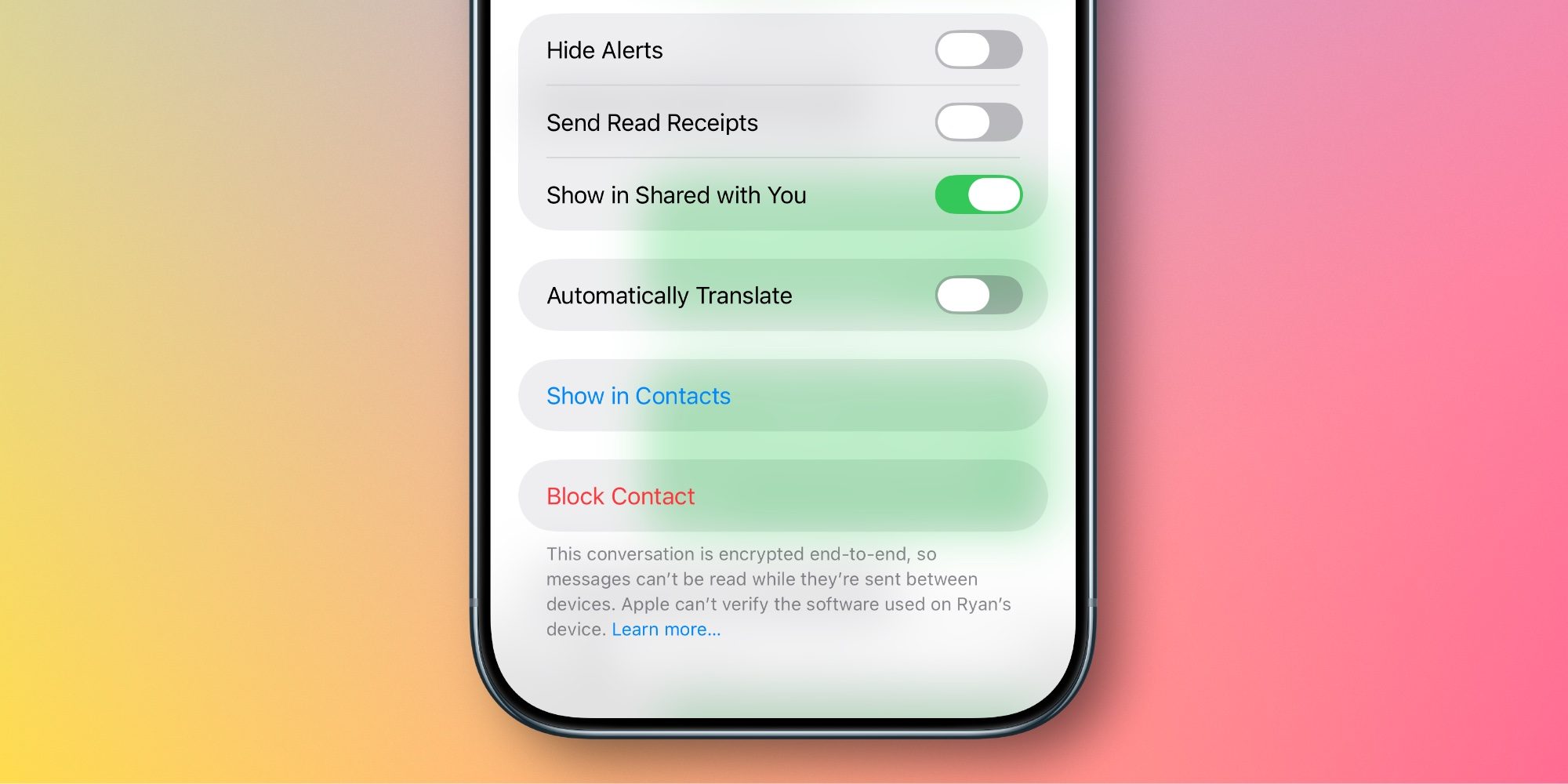
There is another way to check though, and it’s far simpler. Just follow these steps:
- Tap the name or profile image at the top of the conversation to open Messages’ details view
- Scroll down to the bottom of the screen
- Check the message at the very bottom regarding the conversation’s encryption status
If it’s an encrypted RCS conversation, you’ll see a message that says: “This conversation is encrypted end-to-end, so messages can’t be read while they’re sent between devices.”
If it’s not encrypted, the message will say: “This conversation is not encrypted end-to-end.”
This method for checking encryption status is quicker and easier than looking for the lock icon at the top of a conversation.
Best iPhone accessories
- MagSafe Car Mount for iPhone
- 10-year AirTag battery case
- AirPods Pro 3
- AirTag 2 (1-pack / 4-pack)
- 100W USB-C fast charging power adapter


Схожі новини
Samsung Galaxy S26 Ultra price drops by Rs 9,000: Here are the details

В Україні готують запуск безпілотних таксі: Uklon тестує інноваційну технологію

Balen Shah's two-month report card: Why Nepal’s Gen Z hero is under fire already