How does co-op work in Outbound?

I can't imagine driving a camper van alone through the woods by myself, so fortunately I don't have to in Outbound. The mobile base building adventure has enough room in the car for up to four players, but co-op in Outbound isn't available quite from the moment you start the game.
You'll have to complete the tutorial, sort lobby codes, and start the journey with the right expectations since progression isn't locked to your character. I've been camping out under the stars for a while now and I've got a breakdown on how co-op works in Outbound ready to map the way forward for you and your crew.
How to unlock co-op in Outbound
You'll need to complete the tutorial to unlock co-op in Outbound, but it only takes a few minutes so you don't need to spend an hour prepping to play with friends. Multiplayer is available as soon as you open the gate to leave the first camping spot, so here's what that looks like in a few easy steps:
- Drive along the path until you reach the camping area
- Pull over and open the back of your van to set up camp
- Loot the supplies from the nearby chest and light the campfire
- Use the terminal nearby to download blueprints for Basic Tools
- Pick up the scrap metal nearby and access your van's workbench
- Craft Wrench I, then use it to open the barrier blocking your way
With the gate open, Outbound should give you a small pop-up announcing that it's time to invite a friend. From there, you can access your multiplayer code from the in-game menu and give it to a friend.
How to invite friends to co-op
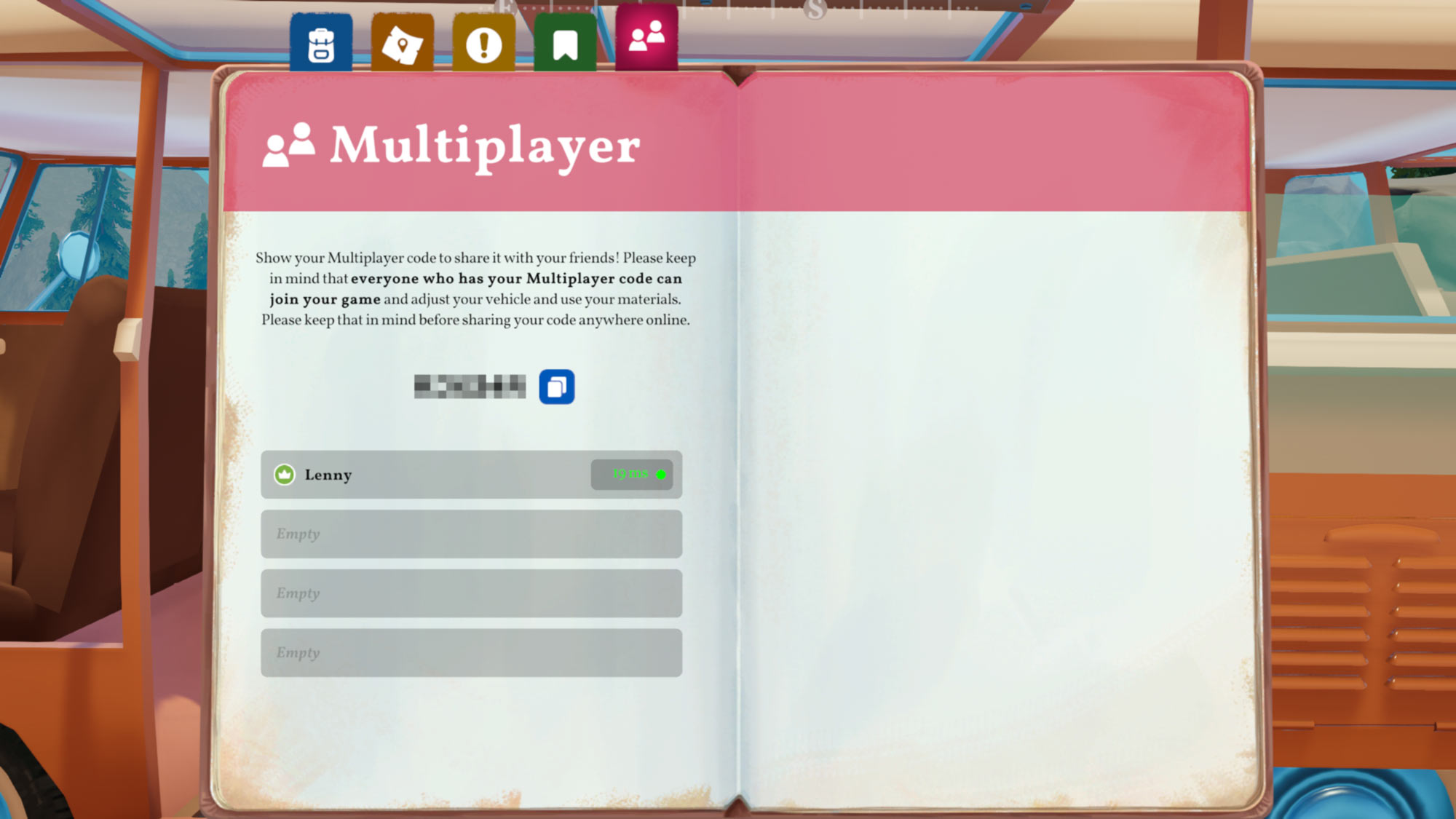
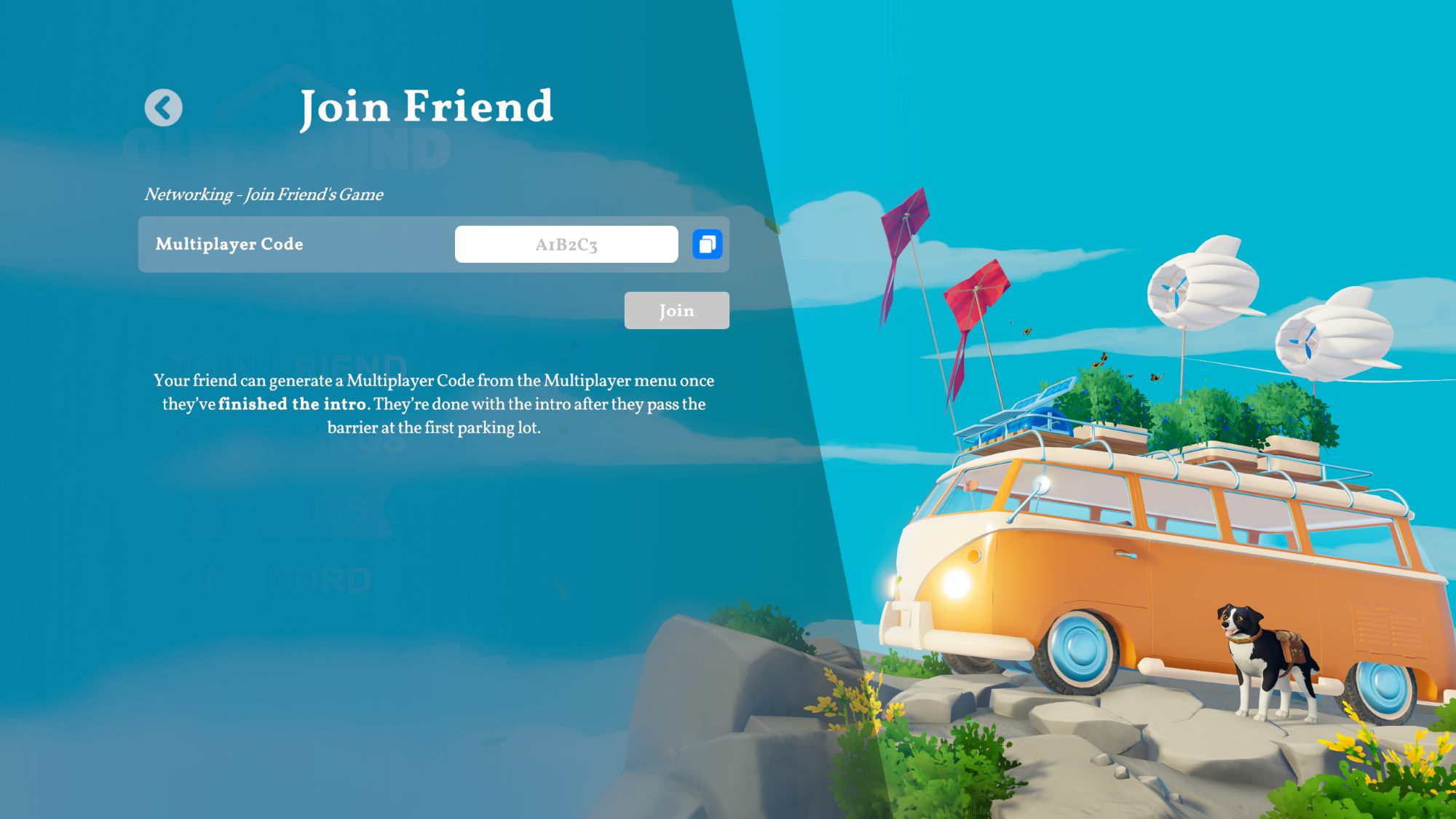
Whichever player would like to host the co-op session can invite friends to Outbound by:
- Hit the Tab key, then select the multiplayer icon on the far right
- Copy and share your multiplayer code with up to three friends
- Your friends will use that code from the Join Friend option in the main menu
How co-op progression works
If you're familiar with the sandboxy, multiplayer crafting games, then you know shared progression can work a lot of different ways. Outbound attaches progress to a save file, not to your character like in Valheim, for instance. So, here are a few things to keep in mind about how co-op progression works in the camping adventure:
- You create a new character when joining a friend's save game
- Any downloads, upgrades, etc. you unlock while someone else is hosting are tied to that save and won't carry over to your other characters or vans
- The host owns the save, so you won't be able to play from the same progression point if they aren't online
- Tool and recipe unlocks are shared within the save, so if one person unlocks a new tool or decorative pack, everyone can craft those items
Схожі новини

Игру уже взломали пираты. Forza Horizon 6 слили в сеть за неделю до релиза
