Bartender Pro makes the MacBook notch more useful with widgets, files, clipboard, more

Bartender got even more useful today with the release of Bartender Pro and a new feature called Top Shelf, which turns the Mac’s notch into a space for widgets, file storage, clipboard management, Live Activities, and more. Here are the details.
Bartender gets a Top Shelf
Last January, I wrote about how macOS Tahoe brought some under-the-hood changes that made Bartender challenging to run on the Mac, despite Applause’s clear efforts to get the app back to the spotless performance that I had always enjoyed.
As I wrote a couple of months after that, Bartender 6.4.1 squashed those last few bugs that had been bothering me, and I’ve been using the app ever since, with zero hiccups or bugs. This allowed me to go back to having my Mac’s menu bar exactly how I wanted it.
And I’m glad I gave it another chance, because it gave me the opportunity to test a new feature being released today called Top Shelf. It is part of a new subscription plan called Bartender Pro, which will continue to introduce new functionalities over time.
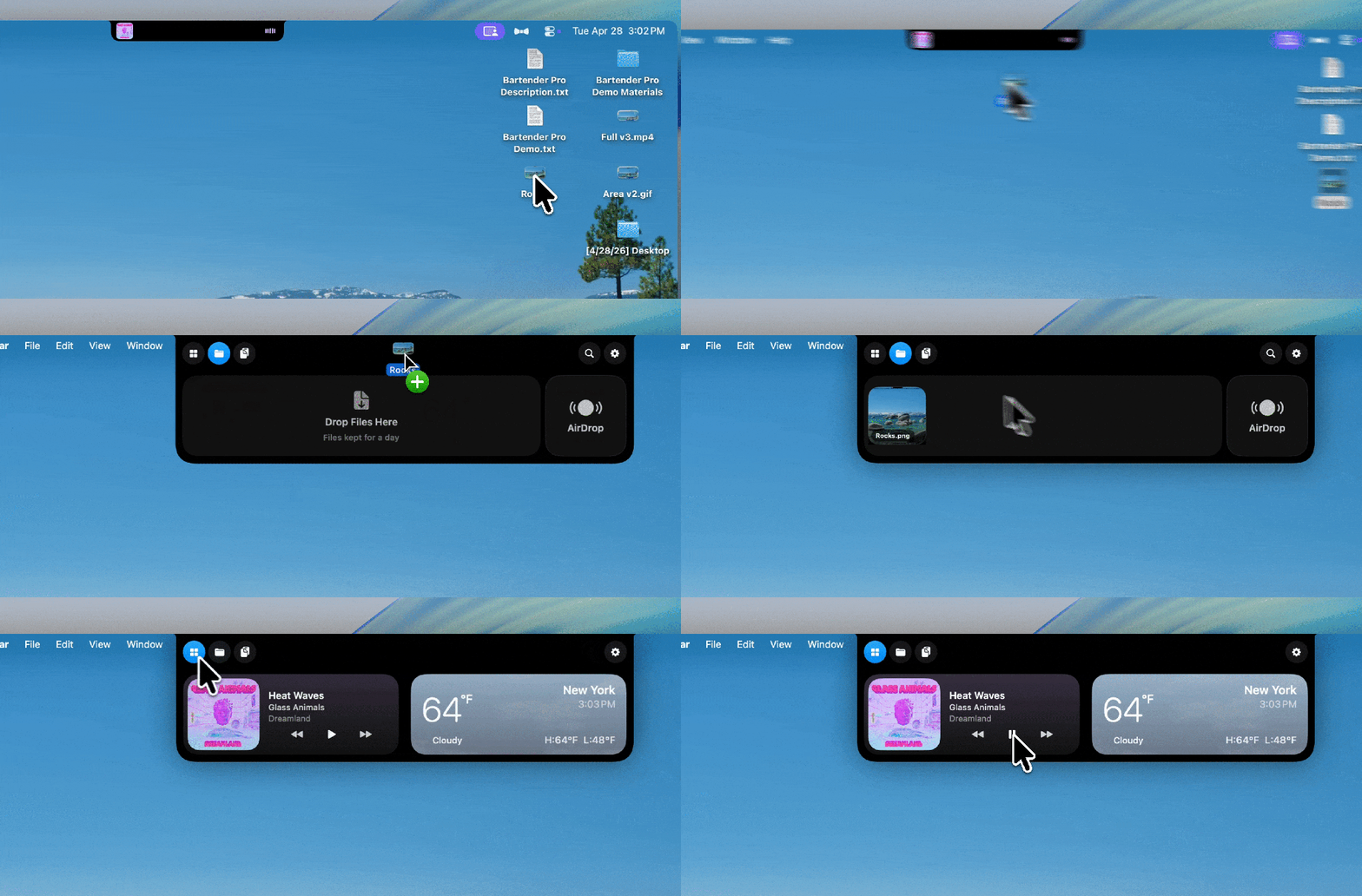
Top Shelf is an interactive feature that lives under the Mac’s notch (or as a Dynamic Island on Macs without a notch). It gives quick access to several useful features and shortcuts that have improved my workflow (once I got used to the idea that hovering my cursor beneath the notch would always bring up its console).
What’s in the shelf?
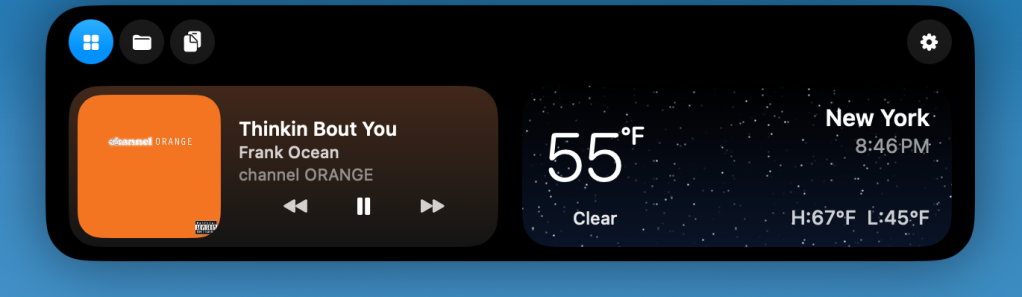
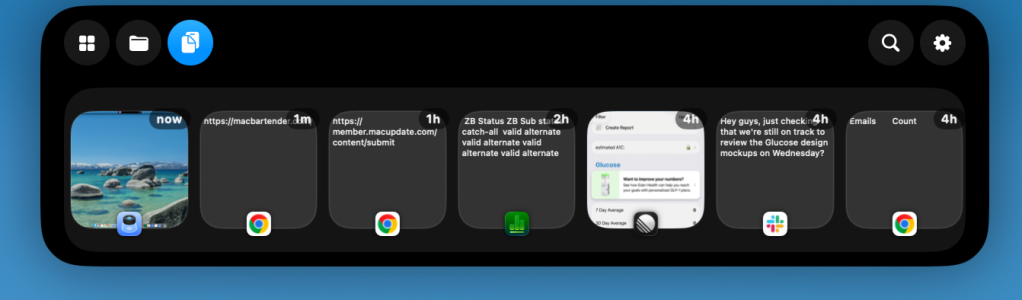
Top Shelf has three main sections: Widgets, Files, and Clipboard. Users can assign keyboard shortcuts to each, choose one as the default view, or have Top Shelf reopen the section they last used.
- Widgets: With a leading widget on the left and a trailing widget on the right, it lets you pick between Music and Vinyl for a fully-featured Now Playing panel, Weather, and Calendar. The Calendar widget lets you quickly glance at upcoming events, with the added features of alerting you before a scheduled event, and even allowing you to join meetings right from the widget. It also has a timer option for current events, which I’ve found useful. Meanwhile, the Weather widget pulls your location to show the current temperature, weather conditions, and the day’s high and low.
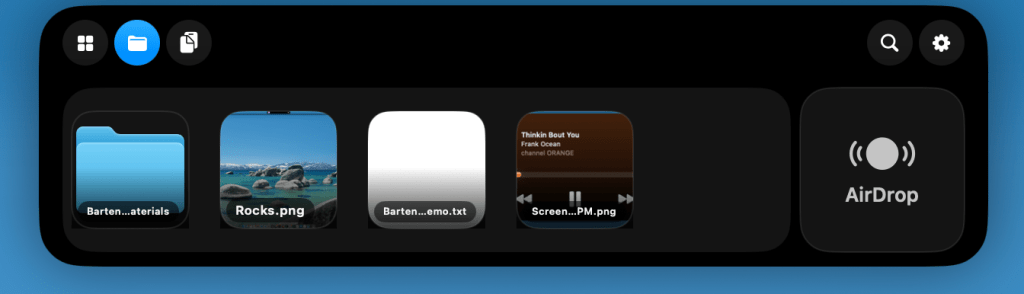
- Files: Once I got used to it, this became my favorite Top Shelf feature. It lets you keep up to six files or folders on the shelf for up to a week, then drag them back out whenever you need them. After adding a file, you can copy it or drag it directly into an app, such as Photoshop. Think of it as a temporary clipboard for files you know you’ll use throughout the day, without having to keep digging through Finder to find them again. The Files tab also gives quick access to AirDrop, which is a nice addition.
- Clipboard: This tab offers a visual, horizontal carousel of text and other items you’ve copied to your clipboard for up to a week, along with a search tool that can look for text across your clipboard history. It can hold up to 100 of your most recent clipboard items, persists through Mac reboots, and also supports pinning and drag and drop, which I’ve found occasionally useful for dragging copied text directly into whatever I’m working on. It also lets you filter out sensitive data, such as passwords, or select which apps you’d like it to ignore completely.
- Other tidbits: Top Shelf has status banners for volume, brightness, battery, and AI agents with granular settings for the alert duration. For battery status, you can set charging and low-battery alerts with a custom threshold up to 30%. For AI Agents, you can set it up for Codex, Claude Code, or both, to keep an eye on their work while you focus on something else.
Pricing and availability
With today’s release, the core Bartender 6 experience (without Top Shelf) remains available for $20.
Bartender Pro, meanwhile, is a new $15/year subscription that includes Bartender 6, Top Shelf, future upgrades during the subscription period, and any other features added to the Pro suite over time.
Users who already have Mega Supporter lifetime access will also get Bartender Pro, including Top Shelf, at no extra cost.
To learn more about Bartender Pro and the new Top Shelf feature, follow this link.
Worth checking out on Amazon
- David Pogue – ’Apple: The First 50 Years’
- MacBook Neo
- Logitech MX Master 4
- AirPods Pro 3
- AirTag (2nd Generation) – 4 Pack
- Apple Watch Series 11
- Wireless CarPlay adapter


Схожі новини

Where To Find The Brick Fish, Insects, And Birds In Heartopia
Amazon MGM Studios’ Head of Business Affairs Dan Scharf to Exit

Вони вийшли у 2000-му році й отримали статус культових: 4 фільми, які не розчарують